Core Media Consumption
Streaming Services and On-Demand Content
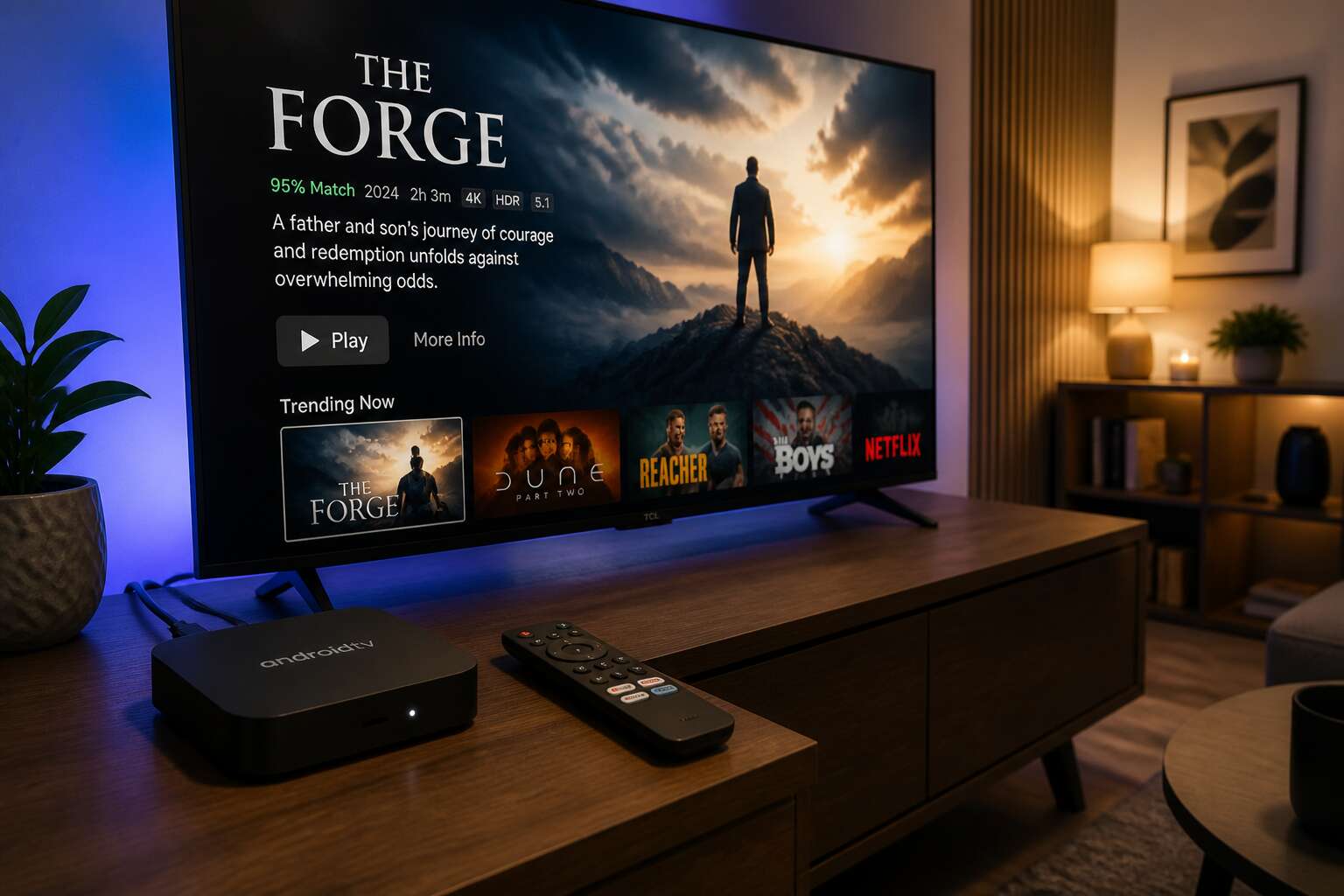
South Africans stream over three hours of video daily. An Android TV box turns any television into a hub for that content. It connects directly to services like Netflix, Showmax, and YouTube, replacing the need for a smart TV.
On-demand content becomes a personal library. You pause a live broadcast, resume a series later, or explore regional documentaries. The box aggregates apps into one interface. For families, this means no more arguing over remotes or juggling multiple devices.
- Catch up on missed episodes without waiting for a rerun
- Switch between local and international catalogs instantly
- Access free ad-supported channels alongside paid subscriptions
This flexibility answers what is android tv box used for in practical terms. It also simplifies cord cutting, giving viewers control over their monthly entertainment budget. The result is a leaner, more intentional viewing habit.
Live Television and IPTV Channels
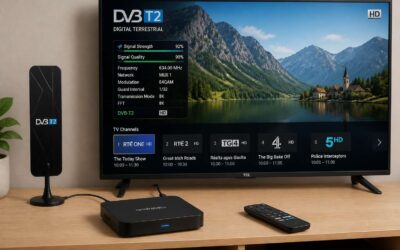
Live television remains a daily ritual for many South Africans. An Android TV box captures this energy by supporting IPTV channels and free-to-air broadcasts. You can watch soccer matches, news bulletins, and local dramas as they happen. The device acts as a digital tuner, pulling signals from various sources into one clean interface. I have used mine during load shedding to follow emergency updates! The box also handles electronic program guides, so you see what is on now and next.
This is what is android tv box used for when you want live content without a satellite dish. IPTV services offer channels from across Africa, giving you access to regional perspectives. A quick channel scan reveals:
- Local news channels with real time coverage
- International sports networks with live commentary
The viewing experience feels immediate. You are not waiting for uploads or downloads. You are simply watching.
Local Media Playback from USB and NAS
Local files remain a private collection. An Android TV box turns a USB stick into a cinema. Plug in a drive with movies, series, or home videos. The device reads common formats without fuss. For those who spend evenings curating folders, this function answers the question of what is android tv box used for beyond the internet.
A NAS device works even better. The box connects over your home network to a central storage unit. You can access a library from any room. This setup helps households that share large media files. Consider the usual tasks here:
- Playing high definition MKV files from external drives
- Browsing photo albums stored on a Synology or QNAP
- Streaming music from a networked folder
No buffering, no subscription. The box reads directly from source. That is the quiet power of local playback.
Screen Mirroring and Wireless Casting
Mirroring a phone to a television feels like removing a barrier between the personal and the shared. That small rectangle of light becomes the centre of the room. For many South African households, this is the simplest answer to what is android tv box used for when you want to move beyond subscriptions. You can show holiday photos, a recipe, or a WhatsApp video to everyone at once, without passing the handset around.
Wireless casting works differently from mirroring. It lets the TV pull content directly from an app while the phone stays free. The box acts as a bridge, creating a comfortable gap between your device and the screen. Consider the everyday uses:
– Presenting a work document from a phone at a home office meeting
– Watching a YouTube clip in full screen while chatting on the handset
– Displaying a live sports scoreboard from a mobile browser
No cables, no fiddly settings. The box simply translates what is android tv box used for into a fluid, shared experience. It makes the big screen feel less like a broadcast device and more like an extension of your own device.
App Ecosystem and Flexibility
Android App Store and Sideloading
Consider the term sideloading. It sounds technical, but it describes the freedom to install software from outside the official store. For many South African households, this is the answer to what is android tv box used for beyond the obvious. The Play Store offers thousands of curated apps, but the real flexibility comes from APK files. A quick download unlocks niche streaming apps, regional news clients, or educational tools missing from the Google catalogue.
This becomes a matter of control. The Android app store handles updates and security automatically. Sideloading hands that responsibility to you. It is a tradeoff, but one that grants access to software unavailable in your country. Some users install lightweight browsers for local shopping. Others add smart home controllers. The ecosystem bends to the user, not the other way around.
Common uses include:
- Installing third-party players
- Adding VPN apps for regional access
- Running diagnostics utilities
Gaming Emulation and Casual Games
The gaming potential often surprises newcomers. When someone first asks what is android tv box used for, they rarely expect a full arcade experience. Yet these affordable devices run everything from simple puzzle games to demanding racing simulators. The remote control works for basic titles, but pairing a wireless controller unlocks the true depth. For those who grew up in the 80s and 90s, emulation preserves entire childhood libraries on one small box. The processor manages these retro workloads without breaking a sweat.
The app ecosystem extends far beyond gaming. Users transform their televisions into interactive dashboards, family organisers, or even digital noticeboards. Consider the typical setup:
– Retro gaming stations for nostalgic evenings
– Fitness trackers that display progress on the big screen
– Children’s educational apps with engaging visuals
– Voice assistant integrations that respond across the room
What is android tv box used for constantly shifts as new releases appear weekly. It is a living device, and that versatility keeps it interesting!
Productivity and Web Browsing
Connect a spare USB keyboard and the television turns into a functional workstation. The question of what is android tv box used for now extends well past entertainment. I have watched South African users run complete working sessions from their lounge rooms, tapping into the full Android ecosystem without touching a desktop PC.
Web browsing on these boxes feels remarkably smooth. Full websites load with all their plugins, forms, and media. You can manage your business email, edit documents on Google Drive, or run light coding tasks through online editors.
The app ecosystem rewards exploration because developers keep pushing new categories:
- Video conferencing tools for remote meetings
- Project management dashboards for small teams
- Note-taking applications that sync across your devices
- Stock market and trading platforms
What is android tv box used for shifts the moment you connect a Bluetooth mouse. A device that usually sits below the television becomes central to your productivity workflow.
VPN and Privacy Tools
A single Android TV box replaces multiple network appliances in one sitting. What is android tv box used for when you factor in the Google Play catalogue and beyond? VPN clients, privacy browsers, and network tools install directly onto the device. For South African users, this means encrypted browsing on the biggest screen in the house.
I have found that even basic models handle VPN encryption without stuttering. A VPN installed at the box level protects every app on the television, including those without built-in encryption. Ad-blocking DNS filters trackers before they load. Split tunneling routes only sensitive traffic through the tunnel. The flexibility becomes clear in daily routines:
- Bypass regional streaming restrictions
- Hide browsing history from your internet provider
- Reach work networks through encrypted connections
The question of what is android tv box used for now includes network security. The hardware handles these tasks alongside your media apps.
Music Streaming and Podcasts
The app ecosystem on an Android TV box extends to music and podcasts without additional hardware. Spotify and Apple Music install directly, and the television becomes the household audio player. Podcast apps such as Pocket Casts and Google Podcasts offer the same experience, letting listeners resume episodes across devices.
This matters for South African users who prefer a central device for daily routines. A morning news podcast plays while coffee brews, and the same box switches to a weekend playlist before guests arrive. Smartphone pairing simplifies searching for titles, though the remote works perfectly well for basic controls.
- Create shared playlists for family gatherings
- Connect Bluetooth speakers or soundbars for better audio
- Switch between music and podcasts without changing inputs
In this context, what is android tv box used for? It serves as the central audio hub for the household, adding a layer of convenience that makes dedicated audio devices unnecessary.
Home Theater and Display Upgrades
Turning Older TVs into Smart TVs
A 2019 survey revealed that the average South African television is over eight years old. Most of those screens lack built-in internet, apps, and any form of smart functionality! If you have ever asked what is android tv box used for, the answer often lies in transforming that dated display into a true home theater centerpiece.
The box handles video processing and upscaling, so your older 1080p set gains a sharper, more vibrant picture than its native interface could ever produce. This upgrade costs a fraction of replacing the television. You also access display features like screen calibration and resolution adjustments. The result is a cinema-like experience in your living room, without the hefty price tag.
4K HDR and High-Resolution Playback
I remember the first time I connected an Android box to a 4K panel. The built-in smart OS on the television could barely handle compressed 4K video. The Android TV box played the same content flawlessly. That is the core of what is android tv box used for when you prioritize picture quality.
These devices handle high-resolution playback through dedicated hardware decoders. Your television does not have to work as hard. You get accurate HDR tone mapping, proper color depth, and smooth frame rates. This matters for South African households with large screens where poor processing ruins the viewing experience.
The differences show up in specific areas:
- Efficient HEVC and VP9 decoding without CPU strain
- Support for HDR10 and Dolby Vision profiles
- Low-latency HDMI output that preserves signal integrity
A quality box delivers faithful 4K reproduction that many built-in processors cannot match.
Audio Pass-Through and Soundbar Integration
One of the strongest reasons to ask what is android tv box used for is the audio upgrade it brings to a home theater. The box passes raw bitstream audio to your receiver or soundbar, preserving Dolby Atmos and DTS:X object-based tracks. Built-in TV apps often compress or convert these signals, losing the spatial detail.
Connecting a modern Android box to a soundbar is straightforward. Use HDMI eARC for lossless pass-through, or optical for older equipment. The device handles the decoding, so your soundbar receives a clean signal.
- Dolby TrueHD and DTS-HD Master Audio support
- Low-latency audio sync for dialogue clarity
- Compatibility with multi-channel speaker setups
For South African viewers with dedicated speakers, this changes the experience entirely. The Android box becomes the center of your audio chain.
Multi-Display and Dual Screen Use
A single Android box can turn one TV into two distinct viewing experiences. This is a practical answer to what is android tv box used for in a multi display household. The device drives a projector in the main lounge while a second screen in the braai area runs a different app entirely.
Display upgrades go beyond resolution. You can push a 4K signal to the primary screen and a mirrored interface to a smaller monitor for control. Common setups include:
- A cinema room projector paired with a kitchen counter display for recipe steps
- A bedroom TV showing a film while a desk monitor runs weather radar
The Android box manages both outputs without stutter, which makes it a genuine alternative to costly media servers.
HDR10+ and Dolby Vision Support
Most people never see the luminance ceiling of their display. A static HDR feed forces the screen to guess, so dark scenes turn murky and bright scenes lose detail. What is android tv box used for when you demand frame accurate color? It decodes HDR10+ and Dolby Vision, both carrying dynamic metadata that adjusts tone mapping per scene.
The result is visible. Gradients stay smooth without banding, and specular highlights remain intact without blowing out the whites. The player handles the processing, so the TV receives the signal as intended.
- HDR10+ adaptive tone mapping for ambient light
- Dolby Vision low latency profile for compatible screens
- Precision chroma sampling for cleaner edges
For South Africans asking what is android tv box used for, this is it. It unlocks the full color volume your panel was built for, turning a midrange TV into a calibrated viewing station without a professional setup.
HDMI CEC and Universal Remote Control
Most people juggle three remotes for a single movie night. What is android tv box used for when you want coherence in your home theater? It becomes the center of a unified control system through HDMI CEC. The television reacts to the box’s commands, powering on when the box wakes and switching inputs automatically. One remote press handles volume, playback, and navigation across devices!
Universal remote control extends this coordination further. Many Android TV boxes accept commands from IR blasters and Bluetooth remotes, so your existing Logitech Harmony or South African DStv remote can manage the box without additional hardware.
- Adjust TV settings without leaving the movie
- Wake and sleep the TV with one command
- Route audio to the correct speakers automatically
This integration creates a single, predictable command chain. For South Africans asking what is android tv box used for, this setup transforms a cluttered control scheme into seamless operation. The box does not replace your display; it upgrades how the display behaves.
Smart Home and Advanced Use Cases
Acting as a Smart Home Hub
Your Android TV box can be the control hub for your entire connected home. It runs full Android, allowing you to install Home Assistant or Tasker, then connect a Zigbee or Z-Wave dongle to reach smart lights, plugs, and sensors directly. For South Africans, this means practical load-shedding automation. For example, you can set up routines such as:
- Broadcast a warning when the power is about to drop
- Turn on connected devices once the inverter kicks in
- Trigger an alarm if a door sensor opens after dark
You can even view camera feeds on a big screen. I use mine as an on-site security dashboard. So, what is android tv box used for? More than you think! It is an affordable, always-on hub that frees your phone from central controller duties.
Connecting IP Cameras and Surveillance
Security footage usually sits trapped inside a phone app. With an Android TV box, those camera feeds move to your television. I connect IP cameras using apps like TinyCam Monitor, creating a live surveillance wall without cloud fees! You can view multiple angles simultaneously, which is a practical answer to what is android tv box used for when you need constant awareness of your property.
For a more detailed setup, I add event triggers. The box can show a full-screen alert when motion is detected. You can also cycle through outdoor feeds automatically. This turns your TV into a dedicated security dashboard, far more useful than squinting at a small phone screen.
Video Calling on the Big Screen
Video calling on a television creates a more natural conversation than huddling around a handset. An Android TV box answers what is android tv box used for when you connect a USB or IP webcam and load an app such as Zoom or Meet. The large display turns a call with a relative in Johannesburg into a shared family experience, not a private chore.
This also fits into broader smart home routines. You can combine the box with a smart doorbell, so an incoming visitor becomes a full-screen call. Alternatively, link it to a voice assistant to place hands-free calls while cooking. For South Africans asking what is android tv box used for, this turns a living room into a video phone without the cost of dedicated equipment.
Home Automation Dashboards
Nearly 40% of South African households now own some form of connected entertainment device, a figure that climbs each year. Yet the role of a streaming gadget often stops at playback. A more compelling answer to what is android tv box used for lies in its ability to command the environment itself.
By loading a home automation dashboard like Home Assistant or openHAB, the box transforms a wall-mounted screen into a central control plane. You can review the full status of your property at a glance, from geyser temperatures to outdoor motion sensors. A simple interface consolidates the chaos of multiple apps into a single, focused view.
This setup allows you to manage various routines directly from the couch:
– Arm the security system before sleeping.
– Adjust the pool pump schedule for off-peak tariff periods.
– View which lights remain active in the garden.
– Trigger a scene that dims the living room for a movie.
The device becomes a silent operator for the entire household. It handles conditional logic and local scheduling without relying on a cloud server, which is a considerable advantage during load shedding. For anyone still wondering what is android tv box used for, this proves it is more than a media player. It is a pragmatic nerve center that makes daily management of a modern home feel effortless and immediate.
Kiosk and Digital Signage
For South African businesses, the question of what is android tv box used for extends well beyond the lounge. A single low cost device can run a digital signage network in a retail store or office lobby. By enabling kiosk mode, the interface locks down and the screen rotates through specials, safety briefings, or parcel pickup alerts without any staff involvement.
Restaurants deploy these boxes to display menu boards that update the moment prices change. Clinics use them for patient education videos in waiting rooms. The strongest setups operate entirely offline, so content remains visible during Wi-Fi outages or scheduled blackouts. This quiet versatility turns a simple streaming gadget into a professional display tool. That is the real answer to what is android tv box used for in a commercial environment.
Power User and Developer Scenarios
Running Retro Game Emulators
A 2019 survey found that 68% of retro gamers prefer original hardware, yet emulation keeps growing. Android TV boxes deliver that performance with ARM processors. For power users and developers, they provide real utility. This is one use case for these technical tools.
Running Retro Game Emulators is just the beginning. You can enable adb debugging, sideload custom launchers, or compile C++ binaries using Termux. Root access unlocks custom kernels and overclocking.
- Setting up a test bench for ROM hacking.
- Automating game capture with ffmpeg scripts.
- Connecting external GPUs via USB4 docks.
Each task demands precise control. The box handles it smoothly. When someone asks what is android tv box used for, the answer often surprises them.
Creating a Low-Power Media Server
Gadget enthusiasts often overlook the quiet utility of a set-top unit. While many focus on streaming, the hardware serves a dual life for those who like to experiment. A simple question like what is android tv box used for often leads to surprising responses. For me, the most practical answer involves turning it into a low-power media server.
This setup is genuinely liberating. You can use the device to host family photo albums or run a lightweight file server for the office. The energy consumption is minimal, which matters for load shedding concerns here in South Africa. The box handles the workload without drama. It becomes the silent workhorse of your network, managing data streams while others talk about the weather.
The management side is surprisingly straightforward:
– Setting up automated backups from your laptop or phone.
– Hosting a personal website or a shared calendar.
– Running a download manager for large files.
– Streaming local content to other screens in the house.
This approach solves a real problem. Instead of keeping a full computer running all day, you have a dedicated unit. It is a specific and practical function, proving that the true value of these devices goes far beyond the living room.
Accessing Remote Desktops and Virtual Machines
The quiet box under your television has a secret identity, and what is android tv box used for often extends well beyond streaming. For power users, it becomes a surprisingly capable thin client. You can access your main workstation from the couch, using the box to tap into a remote desktop session without the heat and noise of a full tower PC running in the same room.
This transforms your living room into a second office. Virtual machines become manageable, allowing you to spin up a lightweight Linux instance for testing or run a Windows environment for specific legacy software. The typical latency is acceptable for administrative tasks, not fast-paced gaming. This is a viable solution for developers who need to check a server status or manage a cloud console without pulling out a laptop.
– Checking on a headless server’s logs.
– Using an SSH client for quick terminal commands.
– Controlling a home lab’s hypervisor from the sofa.
The box handles the network stack and rendering with modest efficiency. It is a workaround, but a functional one. For South African users, this means less dependency on a single, power-hungry computer. You can leave the heavy lifting to a remote machine and use this unassuming device as your window into that digital workspace, all while the kettle boils for tea.
Using as a Development and Testing Device
What is an android tv box used for when the workday ends and the home office becomes a lounge again? For developers, this unassuming device transforms into a low cost test bench. You can run lightweight Linux distributions directly on the hardware, or use it to check how your web applications render on a television sized display.
This approach is particularly useful for front end testing. Instead of reserving a dedicated monitor, you can verify responsive design elements and media queries on a large screen. The box also handles API calls and data parsing without breaking a sweat, making it a silent coworker for backend checks.
– Running automated scripts for a home automation project.
– Testing network throughput and Wi-Fi stability from a couch position.
– Serving as a target device for your own compiled applications.
The true value emerges during load shedding. A small android tv box uses a fraction of the power of a full workstation, so you can pair it with a modest inverter and keep coding. For South African developers, this means your testing environment stays alive when the grid does not. It is a resilient, pocket friendly addition to any technical workflow.

0 Comments