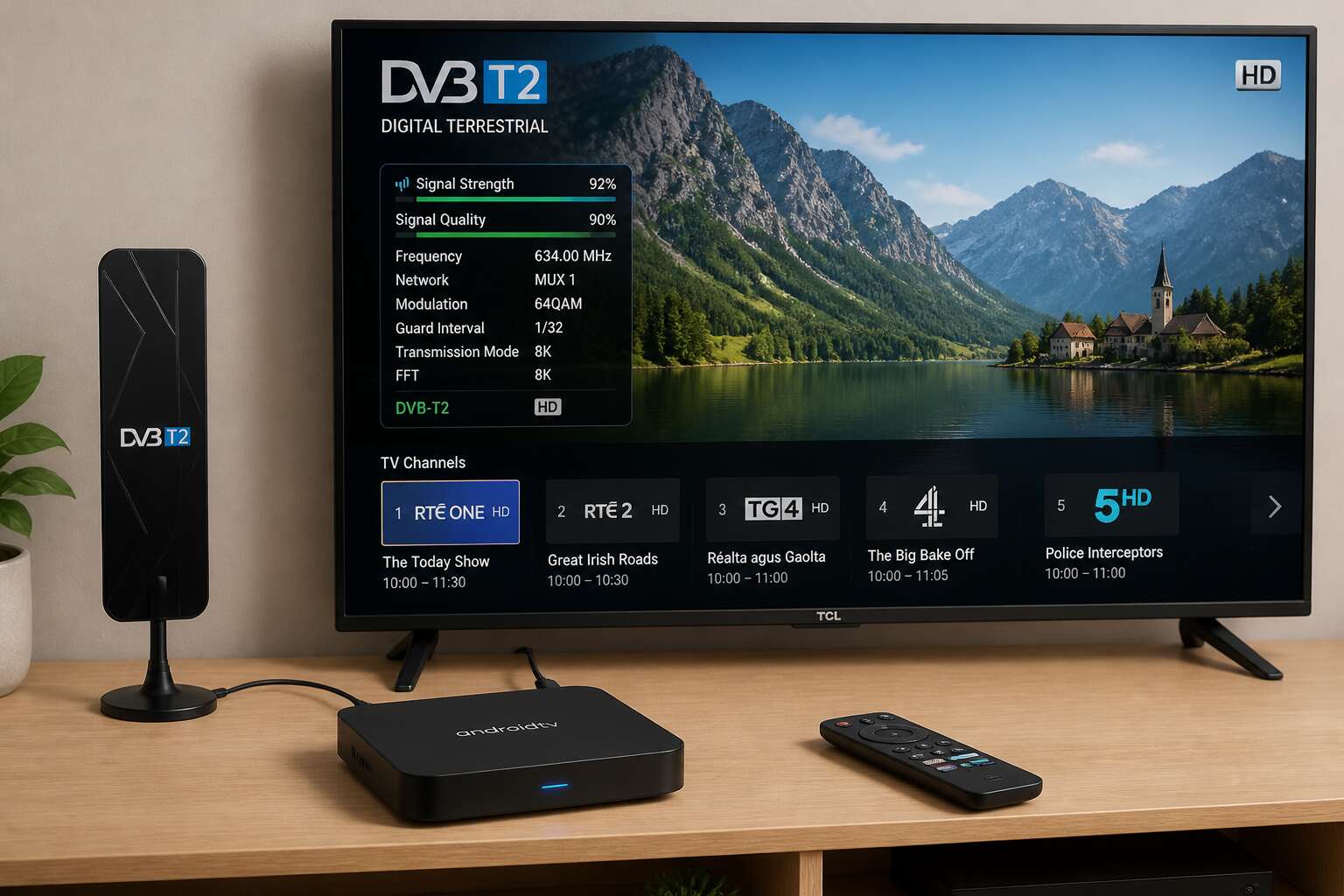
Understanding the DVB-T2 Android Hybrid TV Box
What Exactly Is a DVB-T2 Android TV Box?
In South Africa, the terrestrial broadcast migration has left many households needing a single device that handles both digital television and smart functionality. An android tv box dvb-t2 is exactly that, a unit that pulls in free-to-air digital channels while running the full Android operating system.
This device does not replace your decoder in a simple swap. It combines the tuner hardware required for DVB-T2 signals with the versatility of a smart TV platform. You can move from live SABC or e.tv broadcasts to streaming apps without changing inputs. The hybrid nature means the box processes both signal types internally.
- It receives terrestrial digital broadcasts through its built-in tuner.
- It runs Android apps for streaming, gaming, and general media consumption.
The android tv box dvb-t2 market in South Africa has grown as households consolidate their entertainment hardware. One unit serves both functions, reducing the clutter of separate decoders and streaming devices.
How DVB-T2 Differs from DVB-T and DVB-S
Most South African households replaced their analogue TV sets years ago, yet the broadcast standard itself remains a mystery. Understanding DVB-T2 versus DVB-T and DVB-S matters, because it dictates what your android tv box dvb-t2 will pick up.
DVB-T, the first digital terrestrial standard, relied on older compression and delivered fewer channels per frequency. DVB-T2 improves throughput by nearly 50 percent and handles interference more effectively. In my experience, a model equipped with the newer tuner makes that difference visible every evening.
DVB-S operates through a satellite dish. Terrestrial towers do not factor into the equation. The key considerations:
- DVB-T offers lower capacity and weaker error resilience.
- DVB-T2 provides higher efficiency and robust mobile reception.
- DVB-S needs a dish, a clear sky view, and rain fade tolerance.
For South African households, an android tv box dvb-t2 is designed for the terrestrial grid, not the satellite constellation.
Why Combine Digital Terrestrial TV with Android Streaming?
Load shedding has trained South Africans to value flexibility. The real strength of an android tv box dvb-t2 is in combining two worlds: digital terrestrial broadcast and Android streaming.
Terrestrial TV delivers live events with minimal delay, crucial during a match or a breaking news story. Streaming apps offer on-demand libraries that you control. A hybrid box lets you jump from OpenView to Netflix without touching the back of your TV. That matters when loadshedding cuts your Wi-Fi. The tuner still receives broadcast signals over the air. The Android side handles apps, updates, and casting.
This union reduces device clutter: one remote, one interface, one power outlet. Instead of buying separate decoder, streaming device, and media player, you consolidate. Terrestrial provides reliability. Streaming provides choice. In South Africa, where internet costs remain high, this dual nature becomes practical. Broadcast uses no data at all!
Key Features to Look For in a Hybrid Device
The broadcast migration deadline passed, yet many homes still struggle with grainy pictures. I have stood in living rooms where the signal drops every time a truck passes. The culprit is usually a cheap tuner hiding inside an otherwise attractive box. A genuine android tv box dvb-t2 should use a silicon tuner designed for weak signals, because South African relay towers vary in range. This detail determines whether you watch the rugby or a pixelated mess.
Memory matters. Streaming apps have grown heavier. Two gigabytes of RAM is the minimum for smooth Android navigation. Four gigabytes gives you headroom for background updates. Storage is equally important:
- 16GB internal storage for apps
- USB port for external hard drive recordings
- Dual-band Wi-Fi for congested networks
- Ethernet port for stable streaming
These features turn a simple set-top box into a dependable device. The android tv box dvb-t2 earns its place when the inverter hums and the game still plays.
Hardware and Performance Considerations
Processor and RAM Requirements for Smooth Playback
The act of tuning DVB-T2 channels is trivial. The real workload appears when the Android OS and a live television feed operate on the same processor. Every frame from the tuner requires real-time deinterlacing and error correction, tasks that consume cycles before the picture reaches your screen.
South African terrestrial broadcasts can fluctuate. An android tv box dvb-t2 must hold sync without dropping frames. Key hardware traits determine how well it copes:
- A quad-core system-on-chip for basic decoding
- At least 2GB of RAM for standard definition
- 4GB of RAM for high-definition multiplexes and background apps
Thermal management matters too; sustained decoding raises temperatures inside compact enclosures. For an android tv box dvb-t2, memory pressure becomes visible when switching between live TV and streaming apps. The OS caches recent channels in RAM. Insufficient memory forces the tuner to reacquire signals, producing a frozen frame or audio stutter. Devices with 4GB of RAM handle multitasking with greater ease.
Internal Storage and Expandability Options
The storage inside an android tv box dvb-t2 often determines its practical limits. Internal flash memory is typically 8GB or 16GB. That space vanishes quickly with streaming apps, launchers, and cached EPG data. For recording live broadcasts, you need more than a small internal partition. In my experience, most boxes accept a microSD card or USB drive for timeshifting and scheduled recordings.
- USB 3.0 ports for external hard drives
- MicroSD slot supporting 64GB or more
- NTFS compatibility for large video files
The real question is whether the box treats storage as an afterthought. A device that struggles with disk I/O will stutter during recording and playback. Look for storage that matches the performance of the tuner itself.
Essential Connectivity Ports: HDMI, USB, Ethernet, and Wi-Fi
Connectivity often decides whether your android tv box dvb-t2 feels like a premium appliance or a frustrating toy. I always check for HDMI 2.0, since older HDMI versions can bottleneck 1080p or 4K pass-through from the tuner. A single USB 2.0 port might work for a keyboard, but for a DVB-T2 recorder you need USB 3.0.
Ethernet remains the quiet hero. Wi-Fi, even dual band, suffers interference in South African townhouses. A gigabit LAN port gives the live TV buffer a stable path. Wi-Fi 5 or 6 is fine for catch-up streaming, but not for timeshifting.
- HDMI 2.0 for tuner output
- USB 3.0 for storage
- Gigabit Ethernet for stable EPG updates
Without these, the android tv box dvb-t2 becomes a bottleneck.
Remote Control Design and Voice Search Capabilities
Hardware and performance considerations extend beyond the chipset. The thermal design of an android tv box dvb-t2 determines whether it throttles during a hot Highveld afternoon. I have seen glossy plastic shells trap heat and turn a 4K stream into a stuttering slideshow. A metal housing with ventilation holes is not vanity, it is engineering. The internal storage speed matters too, a sluggish eMMC chip will make channel zapping feel like a Sunday queue at the till.
The remote control is where manufacturers reveal their true character. A cluttered remote with mushy buttons ruins the pleasure of flipping between terrestrial channels and streaming apps. Bluetooth remotes allow voice search, but accuracy depends on the microphone array. In South Africa, accents matter. A remote that struggles with a Cape Town accent will test your patience. The best android tv box dvb-t2 units ship with a remote that feels balanced in hand and responds without a half-second delay.
1. Dedicated number buttons for direct channel entry
2. A physical mute button for those loud ad breaks
3. A voice search key that actually works with local English dialects
Voice search itself should be tested, not assumed. Many boxes advertise the feature but deliver a menu-based parrot that misunderstands every command. A responsive voice search function transforms the device from a novelty into a daily companion. That alone separates a premium hybrid unit from a frustrating toy.
Heat Dissipation and Build Quality
The Highveld sun does not care about your streaming preferences. A plastic chassis android tv box dvb-t2 can hit uncomfortable internal temperatures within thirty minutes of 4K playback. Metal housings conduct heat away from the silicon, but ventilation holes matter as much. I once saw a sleek unibody design suffocate its processor.
Passive cooling works when engineers respect airflow. Convection needs a path. Without it, the SoC throttles, and you notice micro-stutters during the afternoon news. The best units route heat through a thermal plate toward the outer shell. What separates robust engineering from marketing gloss:
- A torx screw opening rather than glued panels
- Raised rubber feet that lift the chassis off furniture
- Thermal paste applied evenly under the heatsink
A box that runs hot ages poorly. Capacitors degrade faster. Heat dissipation is the line between a durable android tv box dvb-t2 and one that fails by next summer.
Software, Interface, and App Ecosystem
The Importance of the Android Version
The Android version inside your android tv box dvb-t2 determines how long the device stays useful. Older releases such as Android 9 still power many budget units, but they struggle with newer streaming apps that require updated security patches. The Play Store may refuse certain downloads, and live TV apps can respond slowly. A current Android 12 or 13 build offers cleaner multitasking and smoother DVB-T2 tuner integration.
The interface shapes your daily routine. A cluttered launcher makes channel switching and app launches feel tedious. Look for a box that lets you set the TV app as the default home screen. That single software choice transforms the experience, because you land directly on live broadcasts without traversing multiple menus.
A newer Android version also brings:
- Better support for the latest catch-up services from local broadcasters
- Faster boot times when switching between streaming and terrestrial TV
- Regular security patches that keep your home network protected
Pre-Installed Apps vs. Clean Android Experience
Nobody buys an android tv box dvb-t2 to fight bloatware. Pre-installed apps dominate many budget units, consuming storage and slowing the launcher. South African buyers often find random games and shopping portals they never requested. That clutter matters when you simply want to reach OpenView or DStv Now.
A clean Android experience hands control back to you. You decide what sits on the home screen, and the DVB-T2 tuner app stays one click away. Some brands push their own app stores and custom themes. Those extras rarely improve live TV performance.
A minimal build gives you:
– Fewer background processes draining memory
– Quicker channel zapping between terrestrial and streaming sources
– Simpler navigation for older family members
That predictability helps your android tv box dvb-t2 age gracefully. When load shedding hits, you want a menu that responds fast, not one buried under promotional widgets.
Electronic Program Guide (EPG) and Channel Navigation
In South Africa, the electronic program guide often determines whether an android tv box dvb-t2 feels usable or infuriating. A sluggish guide turns channel hopping into a chore. The best interface merges DVB-T2 listings with streaming metadata so you never jump between separate menus.
The app ecosystem should support quick navigation. Live TV apps and terrestrial channels coexist in one launcher. I value an interface that remembers my last channel position after load shedding cuts the signal.
A useful guide allows:
- Filtering by free-to-air or encrypted channels
- Jumping straight from a listed program to a streaming alternative
That level of control trumps decorative themes every time!
Recording, Timeshift, and External Storage
Software defines the personality of an android tv box dvb-t2. Some manufacturers ship unpolished launchers that bury recording functions three menus deep. The finest implementations place timeshift controls directly on the playback screen. One tap pauses live television, another resumes it, and the box quietly writes the buffer to storage.
Recording demands dependable external storage. A USB 3.0 flash drive or an SSD connected to the port gives the system enough headroom for continuous writes. For heavy recorders, a powered USB hub prevents voltage dips during load shedding. The app ecosystem matters equally. A clean Android installation lets you install a third-party recorder if the stock one disappoints.
- Choose a file system the box reads natively, such as ext4 or NTFS
- Verify the scheduling app supports wake-from-standby for timed recordings
- Confirm the timeshift duration is adjustable in the settings
The remote should offer a dedicated record button, not a clunky on-screen shortcut. When every element works together, the android tv box dvb-t2 transforms from a novelty into a genuine replacement for your old decoder.
Customization, Launchers, and Firmware Updates
The launcher is the first thing you touch after switching on an android tv box dvb-t2. A stock Android TV interface feels familiar, but some manufacturers overlay custom launchers that hide critical settings. I prefer a launcher that puts live television front and center, with streaming apps one click away!
Firmware updates determine how long your device stays relevant. A manufacturer that pushes regular security patches and Android version upgrades deserves your attention. Without updates, even a powerful box becomes obsolete quickly.
App ecosystem customization separates a good hybrid device from a frustrating one. Look for these qualities:
- Side-loading is allowed without complex workarounds
- The launcher supports third-party replacement
- Updates arrive without breaking existing apps
When the software respects your preferences, the android tv box dvb-t2 feels like your own machine, not a locked-down appliance.
Antenna Setup, Signal Reception, and Troubleshooting
Choosing the Right Antenna for DVB-T2 Signals
Choosing the right antenna for your android tv box dvb-t2 starts with understanding your location. Gauteng viewers near the Sentech towers can often manage with a small indoor panel, while Free State farms typically demand a high gain Yagi on a mast. Signal reception is a product of height, orientation, and distance.
I once watched a client pull cables through a ceiling without checking the existing coax, only to discover a damaged core that caused intermittent signal loss. I have also seen corroded connectors, exposed to Highveld thunderstorms, quietly degrade every channel. The antenna setup deserves the same care as the device itself!
Walk through the basics:
- Point the antenna toward the nearest transmitter site
- Use quad shield coaxial cable for runs over ten metres
- Tighten every connector, then seal it against rain
A faulty connection will humiliate even the best android tv box dvb-t2 before it ever displays a channel.
Optimal Antenna Placement and Signal Boosting
Signal reception is a fickle mistress, and your android tv box dvb-t2 is the one who suffers for her moods. Optimal antenna placement often comes down to a frustrating game of centimetres. I have shifted a Yagi by three degrees on a Pretoria roof and watched a brick wall of pixelation dissolve into crystal clarity. Conversely, I once boosted a Free State signal so hard that the amplifier also boosted the neighbour’s solar inverter noise, resulting in a channel list that looked like static television.
Before throwing money at signal boosting, work through this order:
1. Verify that the coax run has no splices or kinks.
2. Test the android tv box dvb-t2 with a short cable directly at the antenna.
3. Rotate the antenna in small increments while watching a weak channel.
Troubleshooting becomes simpler when you know the limitation. The antenna can produce a magnificent signal and your android tv box dvb-t2 will still choke if the cable is a damp rag. Treat the placement as a slow ritual, not a once-off sprint.
Scanning and Organizing Digital Channels
The scan function on your android tv box dvb-t2 can be a psychological test. You press the button and watch a progress bar crawl, aware that every station you lose is one you must explain to someone who does not care.
A common issue in South African households is that the device stores duplicates after every rescan. The tuner picks up reflected signals off buildings and hills, creating ghost entries that clutter the EPG. I have seen three versions of SABC1, each with a different signal strength reading.
When that happens, do not rescan repeatedly. Open the channel management menu, delete the copies, and reorder what remains. Some firmware lets you hide unwanted channels, which is cleaner than deleting them. The routine I follow is simple:
- Run a full scan, not a fast scan.
- Check signal strength on each multiplex, not each channel.
- Rename frequency groups by broadcaster.
This takes ten minutes, and the android tv box dvb-t2 then holds a stable, coherent channel list for months.
Solving Signal Dropouts and Interference Problems
Antenna setup often separates reliable viewing from a constant flicker. A loose coaxial connection at the wall plate is the first suspect when your android tv box dvb-t2 drops channels during a storm. Check the connector’s centre pin. A bent pin destroys reception entirely.
Signal reception in South Africa varies within a single street. Trees swaying in the wind or a neighbour’s solar installation can reflect the broadcast and scramble the multiplex. When dropout occurs, do not assume the tuner failed. Walk outside and observe the antenna. A slight rotation of the mast, even five degrees, often restores the signal.
For persistent interference, work through a checklist:
– Inspect the cable for cracks where birds or sunlight have worn the shielding.
– Replace any splitter that feeds multiple rooms with a powered distribution amplifier.
– Verify the antenna points to the correct transmitter tower.
These steps resolve most issues before you touch the android tv box dvb-t2 settings. Keep the setup simple and the cabling short, and the picture stays stable.
Understanding DVB-T2 Coverage and Regional Differences
South Africa’s DVB-T2 coverage is far from uniform. The network of Sentech towers blankets the major metros, but the signal thins out once you cross the escarpment or drive through parts of the Northern Cape. I have watched a perfectly functioning android tv box dvb-t2 in Johannesburg go dead two hours east, simply because the terrain changed!
Terrain plays the central role. A valley between you and the transmitter swallows UHF signals, while a ridge blocks them entirely. Consider what actually differs from province to province:
- Channel lineups, since SABC and community stations vary by region.
- Humidity levels, which weaken signal propagation differently along the coast than on the Highveld.
- Transmitter power and mast height at your nearest Sentech tower.
These gaps matter when you choose where to set up an android tv box dvb-t2. A scans in Durban will return a different list than one in Bloemfontein, and the local geography determines how much antenna work you actually need.
Comparing Models and Making a Smart Purchase
Budget-Friendly DVB-T2 Android Boxes Under $50
There is a common misconception that budget means fragile. A sub-$50 android tv box dvb-t2 can still deliver solid performance if you compare models carefully. In South Africa, local retailers often stock lesser-known brands that perform better than popular names. I once bought a no-name unit for R700 that beat a famous competitor twice the price.
When comparing models, consider three things. Warranty length, software update frequency, and community support. Some manufacturers abandon firmware after a year, leaving your box stuck on an old Android version. Others release quarterly patches.
- Check if the tuner supports HEVC for efficient bandwidth use.
- Verify if the power adapter handles load-shedding surges.
- Confirm aftersales support in your province.
A smart purchase also means reading recent buyer reviews, not just star ratings. Look for complaints about overheating or Wi-Fi drops. The best budget android tv box dvb-t2 is the one that matches your signal environment, not the one with flashiest packaging.
Mid-Range and Premium Models: What You Get
Moving past the bargain shelf, a mid-range or premium android tv box dvb-t2 reveals what manufacturers hide when production costs tighten. The tuner becomes more sensitive, holding weak signals that cheap models lose to atmospheric noise. Heat sinks replace plastic vents. Power supplies gain surge protection suited to Eskom’s erratic schedule.
Consider what the extra money buys:
1. Dual tuners for recording one channel while watching another.
2. Metal chassis for passive cooling.
3. Extended firmware support beyond two years.
Premium units also include better Wi-Fi antennas, quieter cooling fans, and warranty periods that respect the buyer’s patience. The difference is not visible in marketing photos; it emerges during evening thunderstorms and peak load-shedding hours. A reliable android tv box dvb-t2 at this tier earns its cost through years of quiet service.
Evaluating User Reviews and Expert Ratings
User reviews tell one story; expert ratings tell another. The android tv box dvb-t2 market is crowded with conflicting opinions, and the truth sits between a five-star enthusiasm and a controlled benchmark. I have watched buyers trust a glowing review, only to see the box fail during a Joburg thunderstorm.
Consider what reviewers actually own and how long they have owned it. A three-week review misses load-shedding stress and firmware decay. Expert ratings expose tuner sensitivity and thermal behaviour that casual users rarely measure. But locals know things no lab captures.
- Review dates often predate the latest firmware, making old complaints obsolete.
- Expert ratings rarely reflect Eskom-related voltage dips or weak rural signals.
- User comments reveal heat issues that controlled tests miss.
The android tv box dvb-t2 that survives scrutiny from both sides is the one worth your money.
Warranty, Support, and Software Update Policies
Three years ago, I watched a client’s box die exactly one week after the warranty lapsed. The tuner still worked, but the Android layer refused to boot. That pattern stays with me when comparing android tv box dvb-t2 models. Hardware differences matter, yet the real cost hides in post-purchase policy. Warranty periods vary wildly in South Africa, from 6 months to 24. Power failure protection is part of the promise, but only if the vendor honours it. Support response times range from instant WhatsApp replies to silent mailboxes, and that gap is enormous! Software updates dictate longevity. A box abandoned on Android 9 becomes a safety liability. Check whether the retailer stocks spare PSUs.
– Confirm the warranty covers lightning damage.
– Ask if firmware updates arrive OTA or require manual loading.
– Verify the support team’s physical address.
A smart purchase of an android tv box dvb-t2 weighs these terms as heavily as the processor specs.
Avoiding Common Pitfalls and Counterfeit Products
Comparing models side by side feels straightforward until you open the boxes. Physical weight tells a story. A genuine android tv box dvb-t2 carries a proper heatsink and a shielded tuner. Counterfeit units skip both.
Counterfeit detection starts with the packaging. Typos on the label or a model number that returns no results online should raise alarms. Some fakes copy the retail box perfectly but ship with a 1 Amp power supply instead of the required 2 Amps. Trust me, that causes random reboots during channel scans!
Price gaps deserve scrutiny. A deal that undercuts the market by 40% usually hides inferior capacitors. Ask the seller for the firmware build number and compare it against the manufacturer’s site.
- Fake units often use a tuner chipset that only supports DVB-T.
- The PCB photo reveals missing capacitors around the power input.
- The remote’s buttons carry spelling errors like “Volum” or “Channl.”
Shop from registered South African distributors when possible. Imported units often lack local frequency tables, which forces manual channel configuration.
Future-Proofing and Viable Alternatives
Will DVB-T2 Android Boxes Become Obsolete?
Broadcast standards shift without warning. The android tv box dvb-t2 exists in a curious limbo, tethered to terrestrial signals that may one day fade. South African viewers watch the spectrum evolve, wondering if their hybrid device will survive the transition to internet-only delivery.
Yet the android tv box dvb-t2 carries a dual nature. When DVB-T2 signals weaken or vanish entirely, the Android side remains functional, streaming content through apps. The terrestrial tuner becomes dormant, but the hardware persists as a streaming hub.
Consider the alternatives:
– Internet Protocol Television (IPTV) services
– Satellite receivers with Android integration
– Pure streaming devices without tuners
Each option carries trade-offs. The android tv box dvb-t2 offers flexibility that dedicated tuners lack, making it a resilient purchase despite broadcast uncertainty.
Comparing with Traditional Set-Top Boxes and Smart TVs
The android tv box dvb-t2 endures because it refuses to be pinned to a single tomorrow. Traditional set-top boxes hold their breath, waiting for the next broadcast standard to render them silent. Smart TVs arrive with grand promises, then dim into obsolescence as their software decays. The hybrid device pivots. When terrestrial signals fade, the streaming side takes over.
Consider the alternatives:
- IPTV subscriptions bound to network stability
- Satellite receivers that demand precise dish alignment
- Streaming sticks with no tuner at all
Each locks a viewer into one path. The android tv box dvb-t2 walks two paths simultaneously. In South Africa, where spectrum transitions linger for years, that dual nature is not a curiosity. It is a quiet form of resilience.
The Role of IPTV and Online Streaming Services
Streaming services have reshaped how South Africans watch television, yet terrestrial broadcasts still carry news, sports, and local programming that no app can fully replace. The android tv box dvb-t2 serves both modes. IPTV subscriptions and online platforms offer large content libraries, but they depend on stable connections and recurring fees. Broadcast television offers reliability without a monthly bill!
The range of streaming options in South Africa continues to expand:
- Showmax and Netflix for series and films
- Amazon Prime Video for global releases
- DStv Now for subscribers who want both
A viewer can watch SABC on the tuner, then switch to a streaming app without changing devices. IPTV services can be added or dropped at will, depending on data bundles and household budgets. The android tv box dvb-t2 handles both paths, which makes it a durable choice while the broadcasting landscape in South Africa remains unsettled.
Community Support, Custom ROMs, and Development Activity
The android tv box dvb-t2 remains relevant because of active community development. Custom ROMs extend the life of hardware long after official support fades. Developers on forums adapt new Android versions for older chipsets, which keeps devices functional and secure.
South African users benefit directly from this activity. When a manufacturer abandons a device, community builds provide security patches and performance improvements. This development activity creates viable alternatives to buying new hardware every few years. The support ecosystem includes:
- Custom recovery tools for system backups
- Optimized firmware builds for specific DVB-T2 tuners
- Shared fixes for signal processing bugs
These resources make the android tv box dvb-t2 a durable investment. The hardware becomes part of an ongoing project, not a disposable product. For households watching SABC or e.tv, this longevity matters when budgets are tight and streaming costs keep rising.

0 Comments