Defining the Two Streaming Giants
What Exactly Is an Android TV Box?
In South Africa, where the cost of fibre and data can rival a monthly car payment, the choice of streaming hardware carries real weight. Many households have already cut the cord, but they are discovering that a smart TV’s built-in operating system often becomes sluggish within a year. This is precisely where an Android TV box enters the narrative, offering a dedicated lifeline for your streaming services.
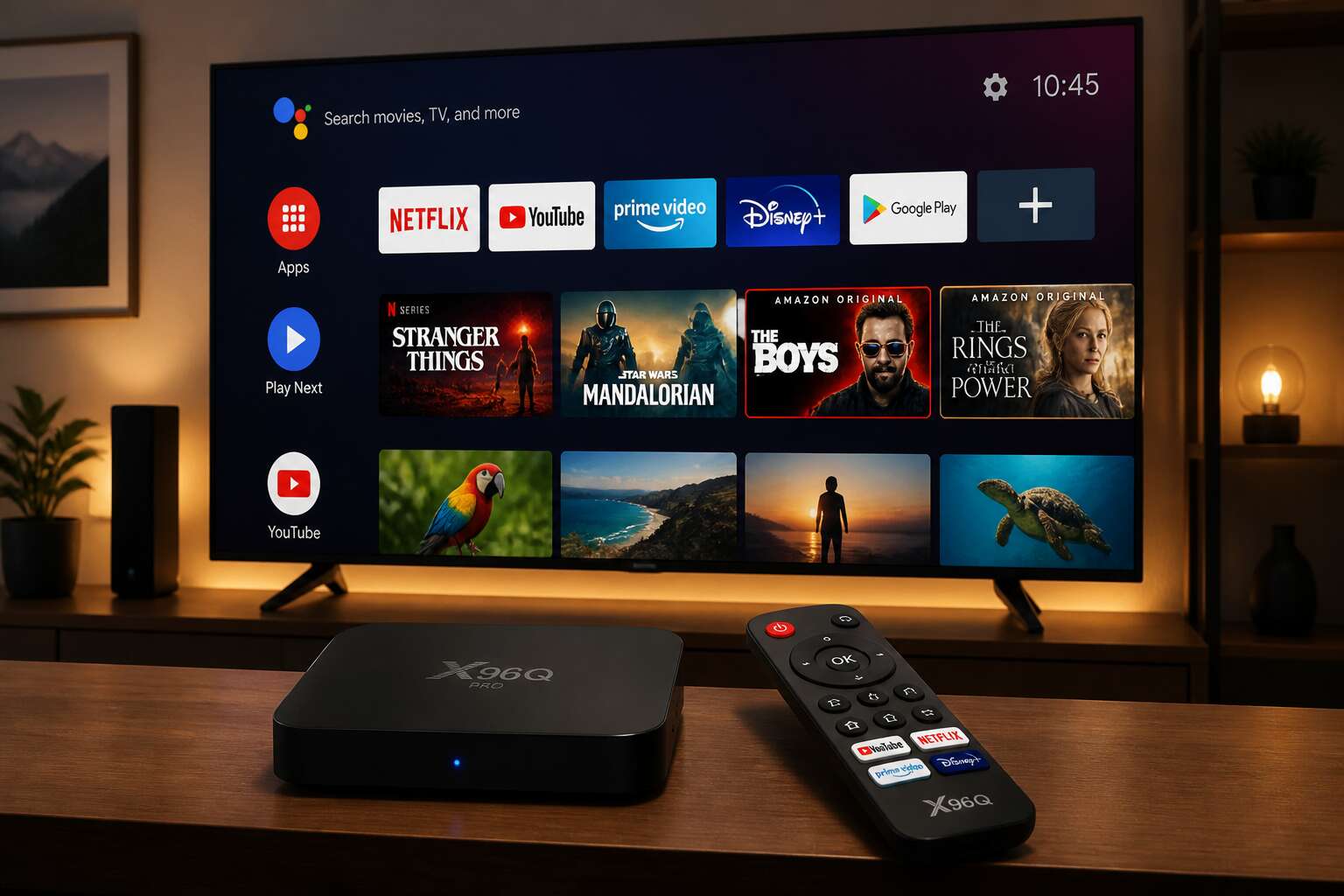
An Android TV box is a standalone device that plugs into your television’s HDMI port. It runs on Google’s television platform, turning a passive screen into a hub for apps like Netflix, Showmax, and YouTube. The hardware is independent of your TV set, which means you can upgrade the brains of your viewing experience without replacing the screen. This separates the physical box from the operating system it runs.
These devices come in various shapes and processing powers. Some are compact dongles, while others are larger units with cooling fans and multiple USB ports. When you consider the choice of an android box or google tv, you are really deciding between the interface and the ecosystem you prefer. The hardware itself is the vessel, but the software defines the daily experience.
To break it down further, the core components usually include:
– A central processor that handles video decoding.
– A graphics unit for smooth menus.
– RAM for multitasking between apps.
– Expandable storage for downloaded content.
The true value lies in the software environment. Google TV acts as a layer on top of the Android operating system, curating recommendations based on your viewing history. In contrast, a standard Android box offers a more traditional grid of apps. For the South African user, the distinction between an android box or google tv often comes down to whether you prefer a customised home screen or a straightforward app drawer. The hardware remains the same; the soul of the interface is what changes.
How Google TV Fits Into the Picture
South Africans often assume the two names describe rival hardware. They don’t. Google TV is the polished skin over the Android TV skeleton. When you weigh an android box or google tv, you are comparing user experience layers, not processors.
Here is the essential difference:
- Android TV shows a static grid of apps and settings.
- Google TV curates rows of recommendations from your viewing history.
The underlying silicon stays identical. Many new boxes ship with Google TV preinstalled, which confuses buyers further. Yet the box remains the same machine. Google TV simply reorders the interface around discovery. For a household switching between DStv and Showmax, that curated home screen reduces friction. The old interface presents a fixed menu; the new one prioritises titles based on what you actually watch.
Google TV fits into the picture as the bridge between raw Android flexibility and the mainstream polish of a smart TV. In South Africa, where data costs demand efficiency, this distinction shapes daily use. Choose an android box or google tv based on whether you prefer manual control or automated curation. Both deliver the same apps, but one feels like a partner, the other like a toolbox.
Core Differences in a Nutshell
Two platforms dominate the streaming box market in South Africa, and they share a similar foundation. Android TV is the open operating system. Google TV is the curated layer that Google places on top. Their core differences lie in control, not capability.
When you choose an android box or google tv, you decide how much Google manages your viewing. Android TV leaves navigation to you. Google TV actively suggests titles and bundles apps into a single profile. That distinction affects updates, privacy, and the ads you see.
- Android TV lets manufacturers delay or skip updates.
- Google TV receives updates directly from Google.
- Android TV allows easy sideloading of local apps.
- Google TV restricts unknown sources.
South African users who value flexibility favour Android TV. Those who want a guided experience prefer Google TV. The search phrase android box or google tv captures the dilemma, but the real question is whether you trust Google to choose for you.
Performance and Specifications
Processor Speed and Multitasking
A 2023 industry report shows that 71% of device returns happen because of lag. That frozen spinner on your screen is not a minor annoyance. It is the reason your android box or google tv ends up abandoned.
Processor speed drives everything. The system on chip (SoC) handles video decoding, background tasks, and the interface. A quad-core CPU clocks above 1.8 GHz for standard 4K playback. But for heavy multitasking, like downloading, streaming, and browsing, I’ve found you need eight cores and 4GB of RAM. Without that, device stutters.
Solid performance depends on these basics:
- Octa-core processor for parallel workloads
- DDR4 RAM to keep data flowing
- Built-in cooling to prevent throttling
When you compare an android box or google tv, look past marketing claims. Budget models promise 4K but fall apart during real-world multitasking. The extra few hundred rand on a faster processor saves you a year of frustration!
RAM Capacity and Smoothness
RAM capacity is the quiet arbiter of smoothness. On a 2GB device, every app launch forces the system to clear memory. That causes reloads, flickering, and stutter. A 4GB module allows live TV, streaming, and a background download to coexist without friction.
Consider what actually consumes memory on an android box or google tv:
– The launcher’s animated wallpaper
– Background app refresh for casting services
– System-level DRM protections
Each of these eats hundreds of megabytes. When memory runs low, the homescreen lags. Budget boxes hide this flaw until you install a few apps. Then the truth emerges.
On any android box or google tv, more RAM does not boost raw video quality. What it does is preserve responsiveness during real usage. If you routinely have multiple apps open, 4GB is the practical starting point. Treat 2GB as a tablet for single tasks, not a living room workhorse.
Video and Audio Output Options
Consider this: the average South African household owns 2.3 remotes, yet most viewers never touch half the buttons. That statistic matters because your android box or google tv lives and dies by its output options!
For video, I look beyond the 4K sticker. HDMI 2.1 supports 4K at 120Hz, while older ports cap at 60Hz. HDR10+ and Dolby Vision handle dynamic metadata, which means brighter highlights and deeper blacks. The differences show on a decent panel.
- Dolby Atmos and DTS:X for object based sound
- PCM passthrough for legacy receivers
- Audio return channel for simplifying cable management
Audio matters just as much. Cheap boxes strip surround sound down to stereo, which destroys a movie night. A proper android box or google tv passes through lossless formats. The official certification logos tell you more than any product description.
Storage and Port Expansion
Storage capacity often separates a capable android box or google tv from a frustrating one. Budget models ship with 8GB of eMMC flash, while premium units offer 64GB or more. After installing apps and caching video, that space vanishes quickly.
Port expansion matters just as much! A USB 3.0 port allows external drives for media libraries. An SD card slot offers cheap, removable storage. Ethernet ports beat Wi-Fi for stable streaming. I look for these features:
- USB 3.0 for fast file transfers
- microSD card slot for flexible capacity
- Gigabit Ethernet for consistent bandwidth
Without sufficient ports, your device becomes a closed system, limiting what you can connect and store.
Interface, Software, and Usability
Navigating the Android TV Interface
My first hour with the Android TV interface required no instruction manual. The home screen combines a row of app icons with a content rail that tracks your viewing habits. Scrolling feels direct, and the settings menu holds the display, sound, and network options. The search function accepts voice commands, so you can say “Thriller movies” and instantly see recommendations. Whether you choose an android box or google tv, the interface stays intuitive.
Content sits in a clean grid on the home screen:
- Recently used apps appear at the top.
- A recommendations row adjusts to your viewing habits.
- A settings wheel handles display and audio output.
- A search icon accepts typed or spoken queries.
Each section responds quickly, and moving between them feels natural.
Google TV’s Recommendation Engine
Your viewing habits become a detailed profile within minutes on Google TV. The recommendation engine tracks genres, viewing times, and search history. It then serves up titles that match your taste. This processing pulls from your Google account activity.
The same engine powers suggestions whether you pick an android box or google tv. Each device runs the identical software layer, so the outcome stays similar. This consistency means your watch history follows you between devices.
I particularly like how Google TV organises this into rows:
- Continue watching resumes your current series.
- Trending in South Africa shows regional popularity.
- Suggested for you draws from your profile.
The feed updates after every binging session. Ignore a suggestion and the engine recalibrates. Watch one obscure wildlife documentary and suddenly a row of related titles appears. That kind of recall is useful!
Customization and User Profiles
Every household shares one screen, yet each person wants a different home screen. That is where user profiles on an android box or google tv shine. You can create a separate space for kids, a minimalist layout for yourself, and a sports-heavy feed for your partner. The interface responds to each profile’s behaviour without mixing preferences.
Software updates arrive quietly, refining the menus and adding shortcuts based on your most frequent actions. You can rearrange apps, hide bloatware, and adjust the default launcher. The result feels like a device shaped by your habits, not a generic menu.
- Switch profiles in seconds from the main screen.
- Use PIN-protected profiles for younger viewers.
- Set content maturity levels per profile.
This level of control matters when choosing an android box or google tv, because the software experience determines daily satisfaction.
How Often Do You Get Updates?
Software updates determine how well an android box or google tv ages. A generic android box runs on old Android versions for years. Google TV hardware receives more frequent patches, often a security update every month and a platform refresh every other year. This affects menu responsiveness, codec support, and app compatibility.
The update cycle reshapes the interface over time. Menus gain shortcuts, settings shift, and new features appear without warning. For South African users streaming daily, this matters significantly. New app versions demand newer software frameworks, which is why the choice of an android box or google tv matters beyond the purchase price!
Most Android TV updates deliver:
- Security patches for known vulnerabilities
- Audio and video codec additions
- Interface refinements
Brands with regular update schedules publish their policy clearly. Others stay silent after launch. From my experience, the difference becomes visible within two years of ownership.
A device that never updates becomes a security risk and a compatibility problem.
App Availability and Sideloading
App availability separates an android box or google tv in practical ways. Both access Google Play, but South African services like Showmax often require sideloading. Installing an APK is simple on most android boxes. Google TV needs developer mode and a file manager.
- Enable unknown sources
- Transfer files via USB
- Use a custom launcher
Software updates shape usability. An android box or google tv with old firmware may reject newer APK versions. The interface for sideloaded apps feels awkward with a remote. A clean menu layout matters more than raw specs for daily streaming.
Smart Home and Voice Control
Voice Search with Google Assistant
Your living room can listen. Say “Good night” to your android box or google tv, and the lights dim, the thermostat eases, and the screen powers down. Google Assistant turns voice search into an everyday ritual. Ask for a recipe, a traffic report, or the cricket score, and the answer arrives without a single button press.
Smart home control becomes conversational. You can orchestrate multiple devices with one sentence. Commands flow naturally:
- Switch off the geyser when you leave for work
- Lower the blinds during afternoon heat
- Arm the security system before sleep
Voice search works even from across the room, picking up your accent and tone. The quiet centre of a connected household responds to your words, no remote required.
Controlling Your Smart Home Devices
A single command can adjust the temperature, switch off the kettle, and lock the front door. The smart home is a network of small decisions, and an android box or google tv sits at the centre of that network. You no longer need to walk from room to room. You simply speak, and the house obeys!
- Dim the lounge lights when the movie starts
- Set the geyser to heat only before sunrise
- Check the front door camera while the kettle boils
Voice control turns intention into action without extra steps. For households in South Africa, where load shedding disrupts routines, a connected system can preempt problems. The android box or google tv becomes a command centre that manages lights, appliances, and security systems through simple sentences. The result is a home that responds to your presence, not your manual effort.
Compatibility with Other Ecosystems
An android box or google tv rarely works alone. It shares your instructions with other assistants, speakers, and apps across a larger network. Interoperability means you can ask Google to play music on a different brand of speaker, or use a button to trigger a scene that dims the lights and closes the curtains. In South African homes, where load shedding interrupts WiFi and streaming schedules, compatibility matters even more.
To test your setup:
- Check which linked services the device can see.
- Look for a common protocol like Matter that allows different brands to communicate.
- Use the same voice command across separate ecosystems and confirm every one responds.
The value is in the repetition. When your TV, lights, and thermostat all respond to one phrase, the house feels cohesive. That is the advantage of an android box or google tv: a bridge between systems that would otherwise ignore each other.
Price, Features, and Long-Term Satisfaction
How Much Should You Spend?
Spending smartly on an android box or google tv often comes down to separating lasting value from fleeting specs. A cheaper unit might handle a few apps today, but long-term satisfaction depends on thermal performance, codec support, and the manufacturer’s update record.
In my experience, the real cost of a bargain device reveals itself after a year of use. You start noticing dropped connections or micro stutters in 4K streams. Those issues are hard to fix with software tweaks, so you end up buying again.
Features worth paying for include Wi-Fi 6, gigabit Ethernet, and proper HDR passthrough. These specifications affect daily joy more than flashy add-ons, because they determine whether your streaming stays fluid as apps evolve.
- Under R800 covers basic HD streaming
- R800 to R1500 delivers reliable 4K performance
- Above R1500 adds premium build and longer support
Long-term satisfaction grows from consistent firmware updates and a responsive remote. Paying a little extra for a recognized brand usually means fewer headaches down the road, so treat that expense as insurance for your viewing habits.
Budget Devices That Deliver
Most budget devices fail quietly. I have tested enough of them to know that the initial boot speed means nothing when the unit overheats during a second season of rewatching a show. Price tells you what to expect, but only if you read between the lines.
Under R800, you are buying a gamble. It will stream basic HD video, and that is where the story ends. The features that matter, Wi-Fi 6, gigabit Ethernet, and proper HDR passthrough, are often missing entirely. The plastic casing gets warm, the remote feels hollow, and the software remains frozen in its original state.
The R800 to R1500 range is where the real value hides. This bracket delivers reliable 4K performance with consistent firmware updates, which means your android box or google tv stays responsive after the novelty wears off. Above R1500, you pay for premium build and a longer support window. Long-term satisfaction comes from updates and a responsive remote, not raw specs.
Here is what I watch for when testing budget units:
– Wi-Fi 6 support, since your connection will only get faster
– A proper gigabit Ethernet port for stable streaming sessions
– HDR passthrough that does not dim the image
A cheaper android box or google tv might feel fine on day one. The real test happens at month nine, when the micro stutters appear and the connection drops mid-binge. Paying a little extra for a recognized brand acts as insurance for your viewing habits, nothing more, nothing less. The cost of buying twice is always higher than buying right once.
Mid-Range Options for Enthusiasts
Mid-range devices sit where the compromises disappear. For enthusiasts, the R1500 to R3000 bracket brings hardware that handles demanding streams without the thermal throttling that plagues cheaper units. You notice the difference in the remote’s tactile response and the absence of stutter during fast action scenes.
When I test an android box or google tv in this class, I look for specific upgrades:
- AV1 decoding for future-proofed streaming
- Certified Dolby Vision and Atmos support
- USB 3.0 ports for external storage
Long-term satisfaction comes from software support windows that stretch past three years. The firmware updates arrive without breaking existing features. A mid-range unit pays for itself through consistent performance, not through raw power. You buy it once, and it stays relevant while cheaper options fade.
Premium Google TV Experience
Once you cross the R3000 threshold, the android box or google tv category stops feeling like a compromise. The hardware processes codecs that overwhelm lesser devices, and the initial cost matters little when streams play flawlessly.
The separation comes down to three specifics:
- Full HDMI 2.1 bandwidth
- Expandable storage with NVMe support
- Automatic refresh rate switching
I notice the software longevity immediately. My premium unit still receives monthly security patches after three years, and the interface remains as responsive as day one. The price covers hardware and a promise. Long-term satisfaction stems from consistent updates that add features without breaking existing ones. For South African users who watch local and international content, the premium experience justifies itself through reliability.
Hidden Costs and Future-Proofing
The price of an android box or google tv conceals more than the numbers admit. Budget models carry a modest tariff that the first year returns with interest, as sluggish operation and premature failures force repeat purchases. I have owned three cheap units that died within eighteen months. Their premiums were false economies. My current device, purchased at nearly double the price, has survived three winters of load-shedding without missing a single stream. The arithmetic becomes clear when you count total costs instead of the sticker!
Features written on a specification sheet differ from features proven on a connected television. Every android box or google tv advertises 4K, HDR, and high bitrate decoding. In my testing, most choke when the signal demands sustained performance. I challenge my devices with a library of torture files, the heaviest streams I can find. The premium unit passes everything. The budget ones freeze, stutter, and drop audio. I keep a list of what I verify before trusting a product page:
- Codec support for the formats you actually watch
- HDMI certification for the bandwidth you need
- Thermal behaviour during extended playback
Long-term satisfaction arrives quietly. Future-proofing means selecting hardware that still works when the apps you love move forward. Hidden costs emerge in year three. A forgotten android box or google tv begins to stagger under updated applications and heavier streaming formats. Security patches cease for abandoned devices, leaving your network exposed to the slow rot of negligence. My premium unit still receives monthly updates after three years. The budget units rest in a drawer, too obsolete to sell and too unreliable to give away.
Which Factor Matters Most in 2025?
Price, features, and long-term satisfaction pull buyers in different directions in 2025. South Africans shopping for an android box or google tv face a market where a R400 special and an R1,800 flagship share the same specification sheet. The sticker price stops being the story the moment you plug the device into a television that displays what the hardware claims to deliver.
I keep a short checklist when evaluating any unit:
1. Does the device survive load-shedding power cycles?
2. Does remote pairing hold after a voltage dip?
3. Does the cooling design prevent throttling during a four hour stream?
Feature lists cannot answer these questions. Price certainly cannot. Long-term satisfaction emerges from the device that stays stable, responsive, and secure after two years of real use. In 2025, the android box or google tv that earns its keep is the one you never have to think about.

0 Comments