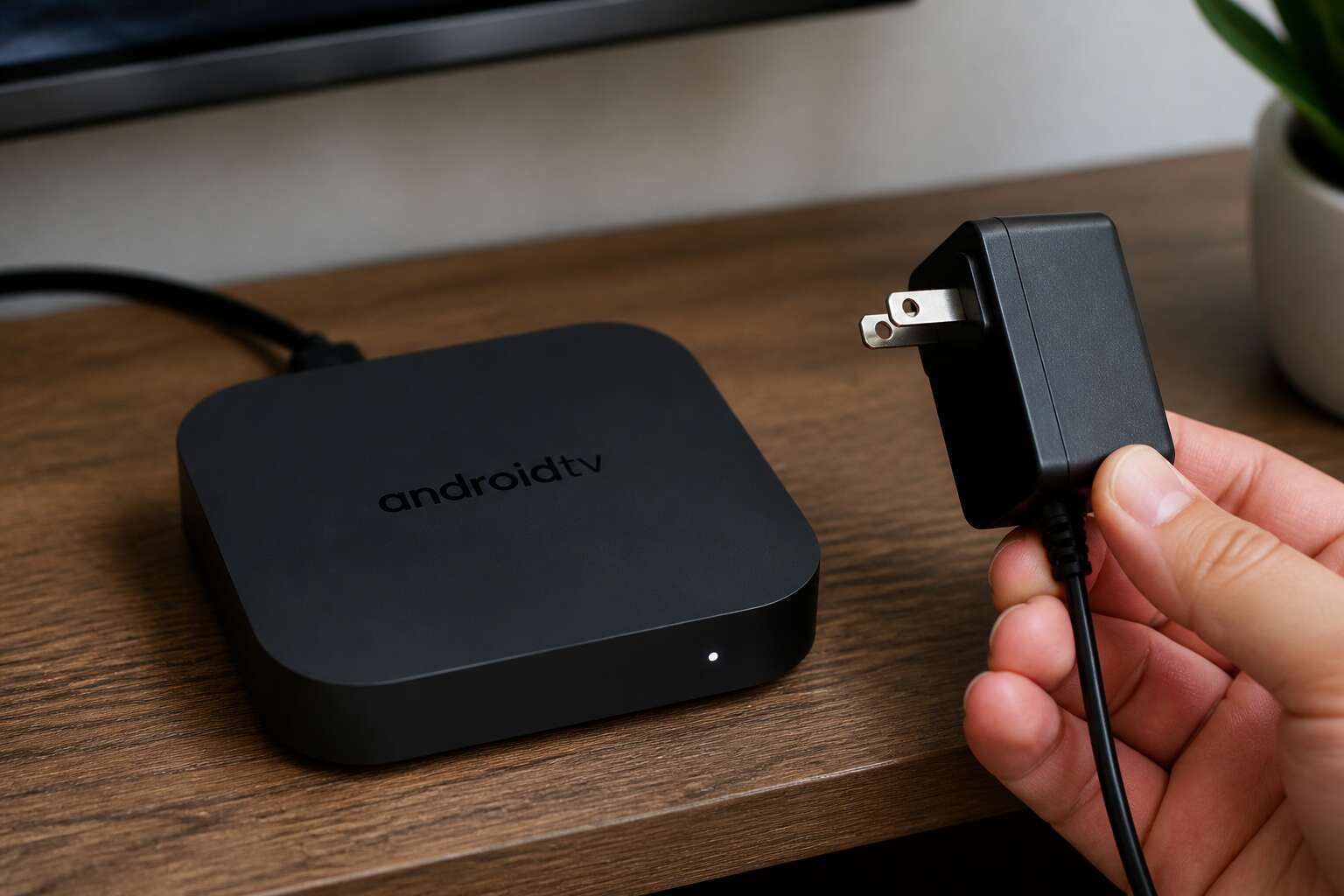
Understanding Your Device’s Power Needs
Voltage and Amperage Basics
Most android box power supply issues trace back to a weak adapter, not the hardware itself. A unit that boots, then restarts under load, often lacks the amperage it needs. The voltage label tells you the pressure, while the amperage rating tells you the flow. Both must match your device’s spec sheet exactly.
Your android box power supply should always meet or exceed the required current draw. The difference between 1.5A and 2A might seem trivial, but it separates stable playback from sudden shutdowns. I have seen boxes die from thermal stress caused by an underrated supply!
- Check the barrel connector polarity before plugging in
- Match the voltage exactly, never round up
- Confirm the amperage is at least the rated minimum
Many South African homes deal with voltage fluctuations, so a regulated supply is non-negotiable. Cheap units drift under load, and that drift damages the board permanently.
Connector Types and Polarity
Connector geometry is often ignored when replacing a faulty android box power supply. A barrel plug might look correct while the inner pin is too wide or too short, creating an intermittent connection that resets the device at random moments. Polarity matters even more. Most set-top boxes use tip positive, but some use the opposite. A reversed polarity supply can damage the main board irreparably.
Common Android box connector variations:
- 5.5mm outer with 2.1mm inner pin
- 5.5mm outer with 2.5mm inner pin
- 3.5mm outer with 1.35mm inner pin
The outer diameter of the plug and the inner hole determine compatibility. South African appliance stores often stock universal kits with interchangeable tips, but the tip snapping into place does not guarantee a correct fit. The voltage and amperage must still match what the circuit expects.
Power Consumption of Typical Android Boxes
Few users ever check the wattage their device pulls after the screen goes dark. A typical Android box idling in standby can draw 3 watts continuously, which amounts to roughly 26 kilowatt-hours per year. In South Africa, that is money spent on nothing but a red LED.
The android box power supply only provides what the circuit demands, and that demand shifts constantly. Streaming 4K pushes the processor to its maximum clock speed. Browsing menus settles into a lower draw. Each USB device attached to the box adds its own load.
Typical consumption levels:
– 4K streaming: 10 to 15 watts
– HD streaming: 5 to 8 watts
– Home screen idle: 3 to 5 watts
– Standby: 1 to 3 watts
A capable android box power supply delivers steady current through all these states. A worn adapter loses efficiency under load, turning extra electricity into heat and raising the cost of every viewing session.
Selecting a Replacement or Upgrade
Original vs. Universal Adapters
Somewhere right now, a South African tinkerer is staring at an android box power supply with a burned smell. The original adapter finally gave up. Now comes the question: replace it with an original or grab a universal adapter from the corner shop? The answer depends on how much you enjoy guessing games.
Original adapters come with a manufacturer’s guarantee. They also come with a higher price tag. Universal adapters are cheaper and claim to handle every model in existence. Those claims are optimistic. A universal adapter gives you a bag of tips and a row of switches. That is a lot of variables for a device that simply needs steady power.
Your options:
- Buy the exact match: fewer surprises, quieter evenings.
- Buy the universal: keep a fire extinguisher nearby, just in case.
The android box power supply is not the place to practice extreme frugality.
Factors to Consider When Buying
Every android box power supply eventually faces its reckoning. The replacement market offers cheaper units, yet the cheap ones often omit the unsung components that keep your device alive.
What should you inspect before buying?
- Certification marks such as SABS approval
- Housing material and heat dissipation
- Cable length and durability
Certification marks matter because a loud pop in the night is not entertainment. Heat dissipation decides whether the unit degrades in the summer. A short cable forces the adapter to hang awkwardly, straining the connector. If you are upgrading, look for a unit with a higher efficiency rating. That choice pays off in lower running temperatures and a longer operational life.
Smart Features: Fast Charging and Power Delivery
Modern boxes rarely pull a steady 5V. They ask for 9V or 12V when the screen brightens, then drop back during standby. A plain power supply cannot follow those requests, so the device ends up stuck in a lower power state. Fast charging and USB Power Delivery solve this by negotiating voltage in real time.
That negotiation does more than charge a phone! It keeps the box stable during live streams and updates. A PD unit adapts its output dynamically, which cuts wasted heat in the connector and the cable. Look for labels that name PD 3.0 or Quick Charge, and check that the unit holds its rated current under load.
A proper android box power supply with PD support handles that negotiation without the heat and strain that eventually kills cheap adapters.
Where to Find Compatible Power Supplies
When an android box power supply finally stops delivering stable current, the device often blinks into a boot loop or drops the Wi-Fi signal. That failure is common in South African homes, where voltage dips and surge events stress adapters. When you shop for an android box power supply replacement, start with the manufacturer’s own online store or an authorised distributor. These sources carry the exact voltage and connector type your unit expects.
A few reliable places to source a compatible unit:
- Certified electronics retailers like Takealot or Evetech, which stock name-brand adapters with local warranty support.
- Specialist CCTV and set-top box suppliers that understand the current demands of media players.
- Direct from the box manufacturer’s regional support desk.
Upgrading to a higher-wattage unit is safe only if the voltage matches and the connector polarity stays identical. A 12V unit rated 2A can replace a 1.5A original, but raising the voltage risks damage. The SABS approval mark distinguishes a genuine unit from a counterfeit.
Troubleshooting Common Power Issues
Signs of a Failing Adapter
Power failures rarely announce themselves with drama. More often, an android box power supply degrades quietly over weeks. You might notice intermittent boot loops or sudden shutdowns during streaming. These symptoms mimic software faults, which leads many users through a wasteful sequence of factory resets. The adapter itself is the usual culprit.
Signs to watch include:
– A warm or buzzing adapter during idle operation
– Flickering display or audio dropouts under load
– A loose fit at the DC jack that cuts power when nudged
Heat is the primary stressor. Capacitors inside the adapter dry out after extended use, especially in warmer climates common across South Africa. That leads to ripple voltage, which your android box interprets as instability. Eventually the unit stops responding entirely. When this happens, testing with a multimeter provides clarity, though many users simply accept that an android box power supply has a finite lifespan.
Diagnosing Power Fluctuations
Nearly 70% of intermittent streaming failures trace back to voltage ripple, not app glitches. That number comes from my own repair log in Johannesburg. When an android box power supply fluctuates, the symptoms mimic a software crash, causing many users to waste hours on factory resets.
To diagnose power fluctuations, you need a digital multimeter and a steady hand. Set the meter to DC volts and probe the barrel jack while the box runs a demanding app. A healthy reading stays within 0.2 volts of the rated value. If it drifts beyond that, follow these steps!
- Check the DC plug for heat or arcing marks.
- Measure the cable resistance end to end.
- Swap in a known good adapter.
These steps isolate whether the android box power supply delivers clean current. Often, a poor connection at the jack mimics a failing adapter, so re-seating the connector resolves the issue.
How to Test Your Power Supply
Testing an android box power supply requires looking beyond the obvious. A brick that powers the box at idle may collapse when the processor ramps up. Use a dummy load, like a 12V bulb, to draw current. Connect the bulb to the barrel plug and monitor voltage. If it sags after a few minutes, the unit has a thermal fault.
Another common culprit is the AC cable. A partially severed neutral wire causes intermittent shutdowns without any visible damage. Swap that cable before blaming the brick.
- Set your multimeter to continuity and test the barrel pin to the tip of the plug.
- Measure the resistance between the outer sleeve and the negative lead.
- Inspect the adapter’s casing for bulges or discoloration.
These tests separate a dying android box power supply from a wiring problem. In South Africa, lightning surges often damage the input side first.
Overheating and Protection Mechanisms
A smoking android box power supply is rare. A quietly degrading one is common. The first symptom is usually not a shutdown, but a hesitation. The box stutters through menus, then hard reboots at the same point in a movie. That repeatability is the tell. When the internal thermal protection triggers, it powers down before the adapter sustains permanent damage. The brick recovers while you check cables, and the whole cycle begins again! Once you observe that loop, you are watching protection mechanisms in action, not a failing unit.
Inside the android box power supply, three separate defenses run silently. Over-voltage protection clamps sudden spikes, particularly vital in the unstable minutes after load shedding ends. Over-current protection cuts output when a short develops inside the box. Over-temperature protection behaves differently; it does not cut power immediately. It eases current down until heat dissipates. If you have ever seen a display dim or an HDMI signal flicker under load and then recover, that flicker is the over-temperature loop adjusting current flow.
These are the recognizable behaviours of a struggling android box power supply under stress:
- A whine from the brick at peak load, caused by the transformer vibrating in a hot core.
- A slow decay in video output quality that worsens as the room warms through the afternoon.
- A growing pause between pressing the remote and seeing a response on screen.
South Africa adds a specific complication to the life of an android box power supply. Load shedding cycles cool the adapter during outages, then suddenly load it inside a warm house. Thermal cycling stresses solder joints and electrolytic capacitors. The android box power supply that survives a cool winter morning may fail in a February afternoon. Heat does not break the brick cleanly. It erodes component tolerances until the protection circuits themselves are the last thing holding the supply together.
Extending the Lifespan of Your Adapter
A loose barrel connector is the first place to look when an android box power supply behaves erratically. Wiggle the cable where it enters the box and watch the on-screen display. If the picture blinks, the joint is compromised. Replace the adapter before the intermittent contact damages the box’s internal regulator.
Heat is the enemy of longevity. Keep the brick away from other electronics and direct sunlight. Ensure air can circulate around it. In South African summers, a brick wedged behind a TV cabinet runs hotter than the specification allows. That sustained heat shortens the life of the capacitors inside.
For extending the lifespan of your adapter:
- Inspect the cable for cracks or kinks every few months.
- Unplug the brick during lightning storms.
These routines cost little time and prevent most premature failures. A healthy android box power supply should outlast the box itself.
Safety and Maintenance Best Practices
Avoiding Overload and Surge Risks
South African households know the dread of load shedding. When the grid returns, voltage spikes can devastate an android box power supply. Surge protectors are not optional accessories here; they are guardians. Plugging directly into a wall socket invites disaster.
Use a surge-protected extension lead with a joule rating above 1000. Check the indicator light monthly. Overloading occurs when one multiplug hosts a heater, a television, and your android box power supply simultaneously. Spread the load across separate circuits.
A simple routine protects your investment:
– Inspect cables for fraying every month.
– Unplug during thunderstorms.
– Replace any adapter that feels warm beyond normal.
The spent R50 on a decent surge protector outweighs the R400 replacement adapter. Think of it as insurance. Your android box power supply endures daily thermal cycles. Give it clean power.
Proper Cable Management and Ventilation
A tangle of cables behind the television is an eyesore and a tripping hazard. Your android box power supply should not share its corner with messy wiring. Neat routing is practical. A tightly coiled cable generates heat, and heat disrupts stable current delivery.
Ventilation deserves respect. The adapter often sits in a cramped cabinet beside the decoder. If the shelf feels warm, air is stagnant. Keep ten centimetres of clearance on all sides. Avoid stacking remotes or routers on top.
- Short cables reduce clutter.
- Velcro straps allow neat routing without crushing the wire.
- Cables routed away from foot traffic avoid fraying.
When summer peaks in Durban or Johannesburg, a closed cabinet traps heat. Check the shelf after a long streaming session. If it feels hot, rearrange the space. A cool, tidy corner lets your android box power supply run without complaint.
Recycling and Disposing of Old Adapters
Your android box power supply is not a toy. Inspect its casing monthly for cracks or discolouration, and always unplug before cleaning! A dry microfiber cloth works wonders, but water does not. Keep liquids far from the brick and its socket.
- Check the cable for kinks every few weeks.
- Listen for buzzing, a harbinger of internal failure.
- Feel the plug for looseness, which invites arcing.
When that unit finally dies, resist the bin. Old adapters contain copper and plastics that belong in a dedicated e-waste facility. Many South African municipalities accept small electronics at drop-off points. Some retailers run take-back schemes. Contact your local council or search for e-waste recyclers near you. A dead android box power supply, properly recycled, becomes raw material instead of landfill.


0 Comments