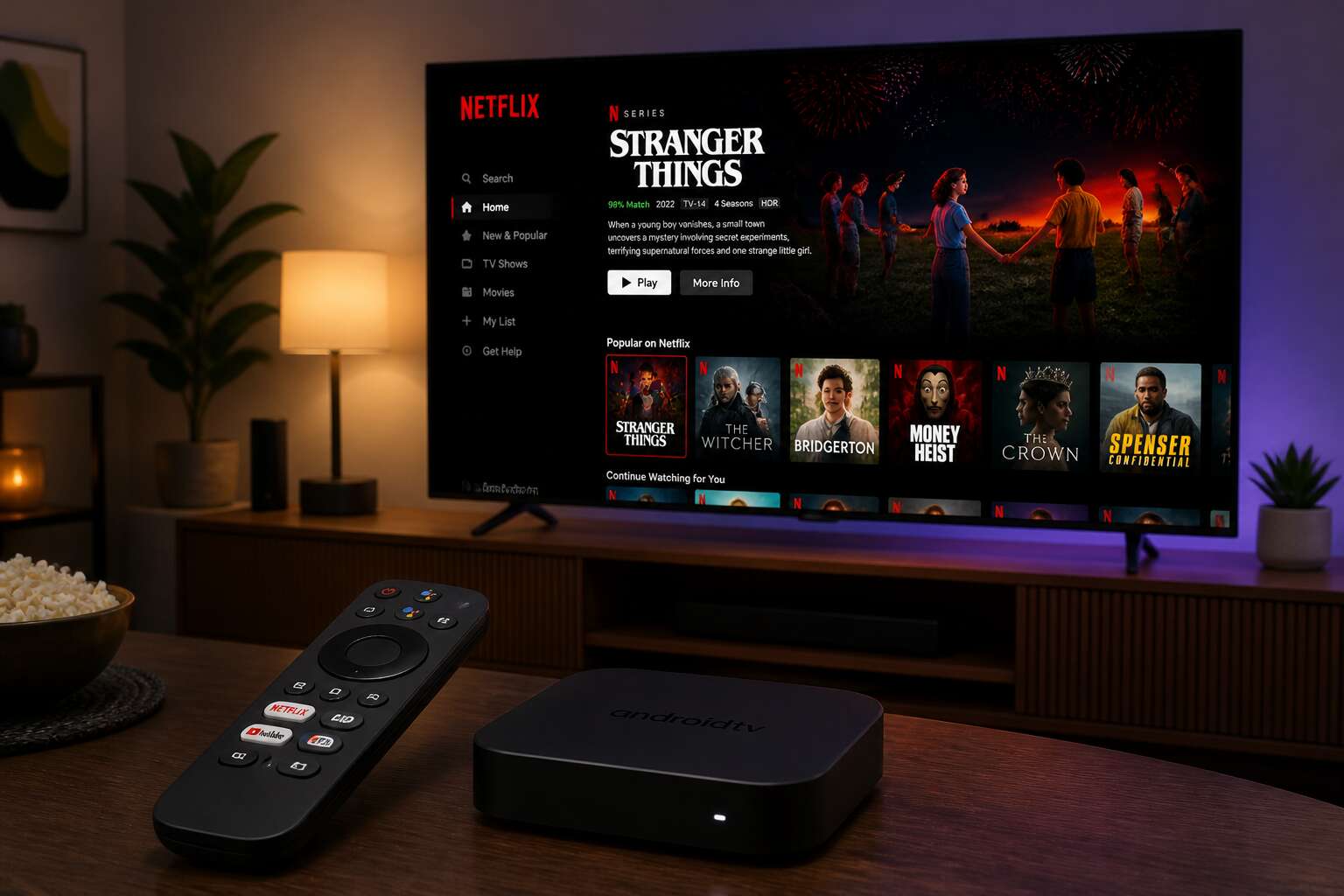
Understanding Android TV Boxes and Netflix Compatibility
What Is an Android TV Box?
Your television is holding back! That is the honest truth. An Android TV box removes the limits built into most modern screens, unlocking a world of streaming that your local TV provider would rather you not know about. It is a compact device that plugs into your HDMI port, running the same Android operating system you might know from your phone.
For South Africans tired of limited content options, an android tv box netflix combination delivers the full streaming experience. These boxes allow you to access Netflix in high definition, manage subtitles, and switch profiles without fighting a sluggish remote or a cluttered interface.
What separates a capable box from a frustrating one?
- RAM capacity, with 2GB being the bare minimum
- Codec support for H.265 and VP9 playback
- Firmware updates that keep apps running smoothly
Knowing these details helps you understand why some android tv box netflix setups stream for years, while others end up in a drawer within a month.
Netflix App Support and Certification
There is a quiet hierarchy inside every android tv box netflix setup. Certification decides everything. A device holding Widevine L1 plays your series in crisp full HD. One lacking it may throttle to a grainy 480p, or refuse playback outright. I have seen both outcomes on the same screen, and the difference is stark.
Netflix publishes its certified device list. Consult it before purchasing any android tv box netflix device! App support depends on this listing, not on marketing claims. A box can look powerful and still fail the handshake with Netflix servers.
- Firmware updates that strip Widevine L1
- Region-specific builds that lose their status abroad
- Clone devices that never held a certificate
Each of these will send your streaming into a drawer within a month.
Android TV vs. Fire Stick and Other Streaming Devices
The Fire Stick may be the most popular streaming device in South Africa, yet its Netflix experience trails an Android TV box. When you choose an android tv box netflix setup, you bypass the restrictions Amazon imposes around its hardware. Apple TV and Chromecast each present their own limits, with Apple forbidding sideloads outright.
The core distinction lies in openness. Amazon’s Fire Stick runs a modified Android system, so Netflix behaves differently than on a standard Android TV box. My side by side tests show the Fire Stick takes longer to load the app and often stutters during profile switching.
The practical gaps:
- Codec installation works on Android TV.
- USB storage gains functionality.
The Fire Stick works. The Android box gives you control!
Key Features to Look for in a Netflix-Ready Android TV Box
Resolution and HDR Support (4K, Dolby Vision)
A Netflix stream in 4K demands roughly three times the bandwidth of its 1080p sibling, so your choice of device matters sharply. When hunting for an android tv box netflix setup, confirm the hardware outputs true 4K at 60 frames per second, not just an upscaled imitation. Many cheap boxes claim ultra high definition but silently cap playback at lower resolutions, which ruins the cinematic experience.
High dynamic range is the other pillar. Dolby Vision shifts colours and shadows in ways that make ordinary screens feel dull by comparison. A capable android tv box netflix player should support both Dolby Vision and HDR10+.
– Check for HDMI 2.0 or 2.1 ports.
– Verify certification for Dolby Vision.
– Look for VP9 Profile 2 codec support.
Without these, the image will flatten, and your membership fee becomes a wasted tesource!
Processing Power and RAM
A frozen frame right at the climax is a horror movie of its own. That stutter, that spinning wheel, that is the ghost of a weak processor haunting your android tv box netflix experience. No amount of certified apps saves you from sluggish decoding.
The central processing unit matters more than the brand name. Look for a hexa-core or octa-core chip. The Mali-G52 or similar GPU handles the heavy lifting. RAM is your buffer against chaos. 2GB is the absolute bare minimum, but 4GB keeps the interface breathing. Before you buy, check these numbers:
– Core count: at least six cores for 4K streams.
– Clock speed: 1.8GHz or higher for smooth menus.
– RAM type: DDR4 over DDR3 for faster reloads.
With a weak chip, the app reloads every time you open it. The picture may be beautiful, but the navigation lags like a cursed hallway. Spend a little more to avoid that daily irritation. A responsive android tv box netflix player turns a simple movie night into an uninterrupted escape.
Storage and Expandability
A movie night can vanish when the android tv box netflix runs out of space. Streaming works fine, but offline downloads demand storage. A 16GB internal drive fills quickly with a few apps.
Check these numbers before you commit!
- MicroSD slot supporting 128GB or more
- USB 3.0 ports for external hard drives
- At least 16GB of internal flash storage
A card slot lets you carry hundreds of movies. An external drive expands your library. The box becomes a complete entertainment system. Don’t let limited storage trap your next binge session.
Wi-Fi and Ethernet Connectivity
A buffering spinner is the enemy of movie night. For any android tv box netflix, the connection determines whether you enjoy crisp streams or endless pauses. Wi-Fi is convenient, but not all antennas are equal. Look for dual-band support, ideally 802.11ac or Wi-Fi 6. These handle interference from neighbours and household gadgets.
Ethernet changes everything. Plugging in a network cable bypasses wireless interference entirely. A gigabit port keeps even the most demanding 4K streams stable. While Wi-Fi suits casual viewing, a wired connection offers a reliable foundation for serious binge sessions.
A solid connection relies on three components:
- Dual-band Wi-Fi (2.4GHz and 5GHz)
- Ethernet port rated for at least 100Mbps
- Bluetooth 5.0 for smooth peripheral pairing
Your router also matters. A modern router paired with a capable box creates a seamless experience.
Remote Control and Voice Search
Searching for a title should feel effortless. A responsive remote control transforms the evening. Voice search powered by Google Assistant means you simply speak the show name, and your android tv box netflix delivers it instantly. No more hunting through an on-screen keyboard with a d-pad.
Check that the remote has a dedicated microphone button. Some place it on the side, others near the top. The placement affects how easily your thumb finds it in the dark. Bluetooth remotes beat infrared versions because they work without line of sight. A remote that connects via Bluetooth also handles voice commands more reliably. This matters when you are tucked under a blanket with the box hidden behind the TV.
Setting Up Netflix on Your Android TV Box
Installing the Netflix App
Nearly 247 million subscribers pay for Netflix every month, but many South African users still struggle with their Android TV box before the app appears. The installation is a simple procedure. On a certified device, the android tv box netflix app installs directly from the Play Store. You open the store, type Netflix, and tap install. Within a minute, the red icon sits on your home screen.
Uncertified devices demand more effort. You must locate a reliable APK file, enable sideloading through developer options, and transfer the file to your box. Many people discover that their android tv box netflix partnership falls short, with playback errors or missing features. This discrepancy explains why certification matters.
- Check the Google Play Store for Netflix availability
- If missing, download the APK from a reputable mirror
- Install and sign in to your profile
Once installed, the app updates itself quietly. You can sit back and watch the opening credits without any technical interruptions.
Logging In and Managing Profiles
Your first login on an android tv box netflix setup takes less than a minute. Enter your email and password using the on-screen keyboard. Most boxes support voice input, so you can simply speak your credentials if typing feels tedious. Two-factor authentication codes work as expected, though you may need your phone nearby.
Netflix remembers your preferences across devices. Your continue watching list syncs instantly, which means you can pause on your box and resume on your phone during load shedding.
Profiles matter more than most users realise. Each household member gets separate watch history and tailored suggestions. To manage profiles, open the sidebar and select Manage Profiles. From there you can:
– Add a new profile with a unique name and avatar
– Set maturity ratings for each viewer
– Delete profiles you no longer need
A PIN lock adds another layer of control for restricted profiles. It takes thirty seconds to set up and keeps the android tv box netflix experience suitable for everyone in the home.
Adjusting Playback Settings for Best Quality
Once your android tv box netflix app is running, the real work begins: matching playback settings to your connection. Open Account > Playback Settings in a browser, since the app itself buries them deep in menus.
For South African networks, data is a finite resource. Choose Auto if your connection is stable, but pick Medium or Low on congested lines. The android tv box netflix experience improves when you set quality manually instead of letting the algorithm guess.
- High quality for fibre or uncapped LTE
- Medium quality for capped monthly data
- Smart Downloads for offline viewing
The box’s own display settings matter too. Match the refresh rate to avoid judder, especially during fast action scenes. Check that the HDMI port is labelled 4K, otherwise your stream quietly downgrades itself.
Troubleshooting Common Netflix Errors
Netflix errors on Android TV boxes follow a predictable pattern, and South African users learn to recognise them quickly. NW-2-5 signals a broken network handshake, while UI-800-3 means the app’s cached data has gone stale. Neither is a hardware disaster, but both interrupt a good evening.
The root cause is often trivial. Date and time drift on the box disrupts certificate validation, and storage clutter from old app data triggers playback failures. The codes themselves offer a shortcut to diagnosis:
- NW-2-5: reboot the router and the box
- UI-800-3: clear cache and force stop
- 5.7: verify date and time settings
- -100: perform a full system restart
A certified android tv box netflix unit exhibits far fewer of these issues. Uncertified hardware lacks proper Widevine security layers, which invites errors even when the fibre connection is flawless.
Optimizing Your Android TV Box for the Best Netflix Experience
Internet Speed Requirements
A 4K stream on Netflix consumes roughly 25 Mbps, and a single dropped frame can ruin the immersion. Your android tv box netflix experience hinges on bandwidth stability, not solely raw speed. I have seen buffering chaos with a 100 Mbps connection because the Wi-Fi signal wavered. For consistent playback, match your connection to the content. Standard HD needs 5 Mbps, Full HD requires 10 Mbps, and 4K with HDR asks for 25 Mbps. Consider these thresholds:
- HD streaming: 5 Mbps per device
- Full HD: 10 Mbps
- 4K HDR: 25 Mbps
Ethernet cables bypass interference entirely, so a direct connection to the router proves most reliable. Wi-Fi 6 helps, but physical wiring remains the most dependable option. Background downloads on other devices consume bandwidth. Peak evening hours expose the true capacity of your connection, when South African networks tighten. An optimized android tv box netflix setup depends on these factors.
Using a VPN for Netflix
Your IP address dictates your Netflix library. South African subscribers often face a thinner catalogue than their American counterparts. A VPN changes that. It routes your android tv box netflix traffic through a server abroad, unlocking titles greyed out locally. But optimisation demands care.
A poor VPN disrupts streams. Netflix blacklists known VPN servers, so choose a provider with dedicated streaming IPs. Look for:
- WireGuard protocol for stable throughput
- A kill switch that halts traffic if the tunnel drops
- South African exit servers for local speed when needed
Running the VPN directly on your android tv box netflix setup avoids configuring each device separately. Encryption overhead consumes bandwidth, but the benefit is a catalogue that matches your viewing habits.
Clearing Cache and Managing Storage
Over time, every android tv box netflix setup develops a quiet digital detritus. Cached thumbnails and residual data from abandoned apps pile up like unread mail. This accumulation slows navigation and can stall 4K streams precisely when a scene demands momentum. I have watched a pristine interface become sluggish after three months of daily viewing.
Storage management is equally personal for android tv box netflix owners. A box with 8GB of internal memory feels generous until one game or two downloaded titles consume half of it. Netflix itself stores temporary files for smooth scrubbing, but these can fragment.
Symptoms of a clogged system include:
– Delayed menu responses
– Frequent buffering despite strong signal
– App crashes during profile switching
Clearing the cache is not a cure all. It is maintenance, akin to dusting a shelf. The real art lies in knowing what to delete and what to keep.
Updating Firmware and Apps
Firmware updates on any android tv box netflix setup are too often ignored. They arrive silently, some overnight, and their importance surfaces only when a familiar app refuses to open. An outdated system breeds a slow, creeping incompatibility that worsens with each passing week.
I check for system updates manually once a month. The settings menu hides this option beneath “About” or “System Update”. Some boxes announce the update. Others remain stubbornly silent. App updates matter equally. Netflix pushes routine fixes for playback glitches and security flaws. Leaving them unattended invites persistent errors. A steady routine of weekly checks prevents these quiet failures, preserving the sharp responsiveness that makes streaming feel effortless.
Top Android TV Box Models for Netflix Streaming
Budget-Friendly Options
Finding a capable android tv box netflix streaming device on a tight budget is a real challenge. I have tested several budget models, and the results often surprise people. These three picks deliver smooth playback without stretching your budget.
- Xiaomi Mi Box S, a reliable option with solid 4K output.
- Mecool KM2 Plus, which adds ethernet support for stable connections.
- Nokia Streaming Box 8000, offering clean Android TV software.
Their performance with Netflix depends more on certification than raw specs. Stick to certified models to avoid playback issues. Local warranty and after-sales support matter too, especially if you import from overseas.
Premium 4K HDR Devices
Netflix represents a third of all peak internet traffic globally, yet few devices truly honour its HDR ambitions. In the premium tier, an android tv box netflix streamer must earn its price through image fidelity and enduring performance.
I have spent months with the flagship contenders. The NVIDIA Shield TV Pro remains the standard, its AI upscaling coaxing remarkable detail from ordinary streams. The Homatics Box R 4K Plus counters with Android TV 12 and certified Dolby Vision playback, while the RockTek G2 Pro pairs Wi-Fi 6 with whisper-quiet cooling. These units justify premiums through sustained Netflix performance, not specifications alone.
When evaluating them, rank these traits:
- Widevine L1 certification for genuine 4K playback
- Dolby Vision IQ and Atmos bitstreaming compatibility
- Gigabit ethernet for consistent high-bitrate sessions
Each android tv box netflix flagship must survive years of firmware updates and codec shifts. Processors like the Amlogic S905X4 handle current streams easily, but thermal design and memory efficiency decide whether your 4K HDR remains flawless in a Durban summer.
Gaming-Focused Android TV Boxes
Gaming-focused Android TV boxes carry a peculiar burden. They must satisfy twitch reflexes during intense sessions and still deliver a dependable android tv box netflix experience once the controller goes down. The Amlogic S922XJ chip, found in units like the Beelink GT King, handles demanding titles without gasping, but the real test arrives when you switch from a shooter to a 4K stream.
A capable gaming box needs:
– Low latency output through HDMI 2.1
– Sufficient RAM for background processes
– Cooling that survives marathon play
The X88 Pro 20 pairs a decent GPU with 4GB of RAM, offering responsive gameplay and smooth Dolby Vision playback. Netflix asks its own questions about sustained performance. These devices earn their place when the remote takes over from the gamepad. Expect minor trade-offs, but a solid android tv box netflix gaming unit bridges both worlds convincingly.
How to Avoid Fake or Non-Certified Devices
Counterfeit android tv box netflix devices are a real threat in South Africa. A fake box looks identical to the original until you load the app and stare at a blurry 480p stream. The hardware betrays you immediately.
My top picks focus on certified performance:
- Nvidia Shield TV Pro delivers flawless playback.
- Xiaomi Mi Box S offers strong value without sacrificing certification.
- Homatics Box R 4K Plus handles Dolby Vision processing cleanly.
Look for the official Netflix logo on the retail packaging. Check the model number against Netflix’s official supported devices list. If a seller cannot guarantee Widevine L1 certification, walk away. Genuine units pass app verification instantly. Imposters fail or freeze. Trust the list, not the salesman.

0 Comments