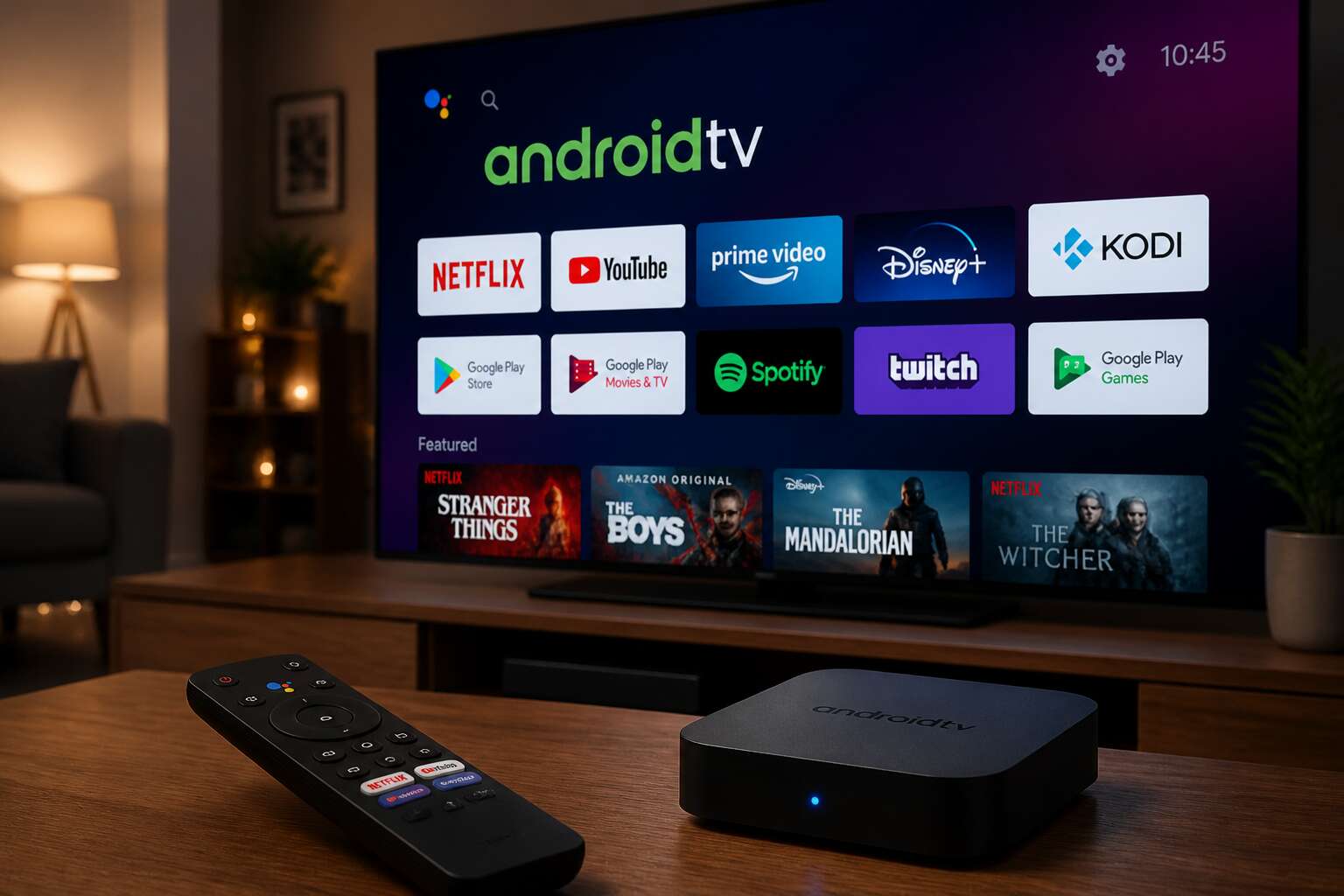
Understanding the Streaming Device Ecosystem
Hardware Considerations for Optimal Performance
In the streaming world, the experience begins long before you pick a movie. The ecosystem around you dictates the quality, not just the device in your hand. A robust fibre line and a stable network infrastructure are the quiet foundations upon which android tv box apps must perform. Without this bedrock, even the most sophisticated hardware will falter, buffering at the worst moments.
The hardware within your chosen box is a simple equation of power versus thermal management. The chipset, the RAM, and the storage all contribute to how swiftly an app launches and how well it handles high-bitrate content. For South African viewers, where load shedding is a reality, consider devices that recover cleanly from sudden power loss. The hardware should not be an afterthought, but a deliberate choice made with your viewing habits in mind.
When assessing a device for its core capability, you are effectively gauging its heart. A reliable unit will offer ample ports for connectivity and sufficient processing speed to decode the newest video formats. The specific components that matter most to a seamless session include:
- The SoC (System on Chip) for video decoding efficiency
- RAM capacity for multitasking between services
- Storage space for cache and offline libraries
The tangible result of good hardware is speed and reliability. When the processor is underpowered, the navigation feels sluggish, and the visual fidelity drops as the system struggles to keep up. This is the invisible line between a choppy broadcast and a cinematic night in. The synergy between the silicon and the software is what allows android tv box apps to feel responsive. Ultimately, you are not buying a gadget; you are buying the confidence that your connection and your box will meet the demand of the moment.
Operating System Variations and Their Impact
Picture this. You have a top tier box, but the apps themselves misbehave. The truth is, the operating system build dictates much of what you can run. Over 60% of streaming apps in the region are not optimised for stock Android TV, they are built for AOSP variants. This creates a fragmented landscape.
The core difference lies in the user interface and the underlying services. Stock Android TV offers a clean, curated experience with the Google Play Store front and centre. It is the safest bet for seamless updates. On the other hand, many budget boxes ship with AOSP, a bare bones version of Android. This stripped down OS lacks Google’s licensing, which means you must sideload your android tv box apps.
This impacts speed and stability. An AOSP build often consumes less RAM, so the hardware feels faster initially. However, you lose the security patches and predictive algorithms that make content discovery painless. Here is what you need to check before you commit to a system:
– Does the launcher support multiple user profiles?
– Is the OS version certified by Google?
– Can you easily update the firmware?
For South African users, the operational quirks matter more than the version number. Some boxes with low storage will aggressively clear app caches, forcing you to log in again. Others struggle with refresh rate switching, which is crucial if you watch sports. The choice between stock and open source is a trade-off. You either get the seamless integration of the Play Store, or you get the raw performance of a leaner system. I have seen boxes that look identical, but their OS builds mean one handles IPTV perfectly while the other stutters.
The practical takeaway is to read the fine print. Do not assume that Android is Android. Your ability to install and run android tv box apps without friction depends on this foundation. Pick the build that aligns with your patience for tinkering, not just the advertised specs. A clean OS, with regular updates, will always outperform a cluttered one in the long run.
Storage and Memory Management Basics
A 32GB box sounds generous until you meet a 4K stream. Storage and memory are the quiet arbiters of your streaming life. Once free space drops below one gigabyte, android tv box apps begin a slow waltz of deletion and reinstallation. RAM matters equally. Most budget boxes ship with 2GB, yet the operating system itself eats a third before you even open a launcher.
Several factors shape how much storage you actually own:
- Preinstalled bloatware that you cannot remove
- Partition sizes hidden behind the firmware
- The aggressive cache clearing some builds perform on low memory
I have watched a box that seemed fast initially, only to stall when its flash memory filled with thumbnail caches. South African users face this daily with IPTV app archives and recorded content. Know your storage figures before you trust the advertised capacity.
Network Requirements for Seamless Streaming
The dream of endless streaming often dies on a shaky connection, not on a faulty device. South African internet reality, with its load shedding and usage-based pricing, makes the network the true frontier. A 4K stream demands a sustained 25 Mbps, but stability matters more than raw speed. Fluctuating latency turns a crisp picture into a buffering wheel. Your router placement dictates performance; a single brick wall can halve your signal strength. Consider the strain your household places on the same connection. Every smartphone update competes with your cinematic ambitions. A wired ethernet connection remains the most reliable path for android tv box apps, bypassing the chaos of shared Wi-Fi spectrum entirely. For the uninitiated, the essential bandwidth for motorious tasks is:
- Standard definition streaming: 3 Mbps per stream
- High definition streaming: 5 to 8 Mbps per stream
- 4K streaming: 25 Mbps per stream
These figures are the baseline before accounting for background downloads and system updates. An unmanaged network is a silent killer of user experience. This is why I always advocate for a dedicated network for your entertainment zone. Quality of Service settings on a decent router can prioritise video traffic. This ensures android tv box apps receive the data they need when the network tightens.
Essential Entertainment Applications
Video Streaming Services to Consider
The television sits dark until you give it purpose. South Africa’s data costs require deliberate choices. I have watched android tv box apps transform idle screens into reliable tools for entertainment. The essential applications vary in their demands. Three categories define the current options:
- International services with local rights
- Independent film platforms
- Broadcasters offering catch-up libraries
Each service consumes bandwidth differently. Some need constant connections, others allow cautious offline downloads. The sheer abundance of options complicates every installation menu! I prefer two or three subscriptions over dozens of unused icons.
Live Television and News Applications
Live television applications turn an android tv box into a genuine replacement for the decoder, though a great deal depends on your internet connection. South African users often discover that international news channels stream flawlessly, while local broadcasters require a bit more patience.
The real revelation, however, arrives with the news aggregator apps that gather multiple sources into a single interface. You get the headlines without the channel surfing. Load times remain rapid, and the interfaces feel designed for remote control navigation, not just touchscreens.
- International news networks offering 24/7 rolling coverage
- Local broadcasters with full catch-up libraries for missed bulletins
- Specialist apps covering business, sport, and financial markets
Each category offers something distinct, and the best part of these android tv box apps is their modest data appetite. A quick weather update or traffic report costs only a few megabytes. That matters when every gigabyte carries a price tag in this country. The programming remains current, the broadcast quality holds up reasonably well, and you can finally abandon that dodgy streaming website with the endless pop-up ads.
Music and Audio Streaming Platforms
Streaming audio already consumes more household bandwidth than live television in many South African homes. The android tv box apps built for music and audio offer a different relationship with your device. They reward patience and exploration rather than passive viewing.
These platforms surface regional playlists, underground South African hip-hop, and international podcast feeds that update while you sleep. The interfaces translate well to a remote control, sparing you from endless keyboard hunting. Some services even include synchronised lyrics that turn a simple listening session into a shared living room activity.
- High-fidelity tiers for dedicated listeners with quality speakers
- Data-saving modes that compress streams without wrecking sound quality
- Background listening while you navigate other apps
The bandwidth appetite stays modest. A two-hour album might consume less than a single music video. What a difference from video streaming! That efficiency makes these android tv box apps a sensible addition for users tracking their monthly data allowance.
Gaming Options for Casual Users
Casual gaming changes how you use android tv box apps in the living room. Titles like Asphalt 8 and Beach Buggy Racing respond well to a standard remote or a budget Bluetooth controller. The learning curve stays gentle for newcomers.
Several apps include split-screen modes for family play. Others offer daily challenges that keep the competition alive without demanding long sessions!
- Lightweight puzzle games that load in seconds
- Retro arcade compilations with multiplayer support
- Streaming-friendly titles that perform well on slower connections
Storage remains a practical concern. A few well chosen games rarely exceed 2GB, leaving space for video and audio apps. I have found casual gaming delivers solid play sessions without the bandwidth demands of video streaming.
Sports and Fitness Content Hubs
Almost 60% of South African households now use a television for more than just broadcast channels, and sports content is a primary driver. On android tv box apps, fitness enthusiasts can access curated workout libraries that sync with heart rate monitors. Sports hubs offer live match statistics, highlights, and analysis for rugby, cricket, and football. These platforms aggregate content from multiple leagues, reducing the need to switch between services.
Common features across these hubs:
- Match replays and extended highlights
- Training programs with structured weekly plans
- Commentary in multiple local languages
I have noticed that these hubs often bundle nutritional guides and injury prevention videos. Android tv box apps let you cast these sessions to a larger screen, which makes following along with a coach far simpler than squinting at a phone. Fitness content is surprisingly light on data, so even a modest connection handles it well.
Productivity and Utility Tools
File Management and Cloud Storage Solutions
Did you know that load-shedding has pushed many South Africans to rely on uninterrupted power sources for their entertainment hubs? While your Android TV box might be great for streaming, it can also handle productivity and utility tasks. You can transform this device into a digital filing cabinet and cloud access point, particularly for your home office or small business setup.
Your TV box apps can simplify file management. You can use them to move documents, photos, or videos from a microSD card to a connected external drive without needing a computer. This centralizes your media library, making it easier to find that one specific spreadsheet or family video. For cloud storage, apps offer secure access to your remote files, allowing you to pull up a presentation or PDF directly on the big screen for client meetings or study groups.
– Centralizing your media files from different devices into one location
– Accessing work documents from the cloud via your TV box
– Managing large video files to free up space on your primary devices
The utility extends beyond simple storage. Some solutions allow for automated backups, ensuring your important data is safe even if a particular device fails. This arrangement turns your TV into a command center, which is a smart move for any modern household looking to maximize their existing hardware investment.
Web Browsing and Communication Tools
With remote work embedded in the daily rhythm of many South African households, the television now handles tasks beyond entertainment. Certain android tv box apps bring a full web browser to the big screen, and I have found this makes research sessions and online shopping less cramped than squinting at a phone. Typing remains clunky, but pairing a wireless keyboard transforms the experience.
Communication tools also flourish on this platform. Several android tv box apps offer dedicated clients for popular messaging services. Video calling apps display participants in a way that feels more present than a laptop screen. Families split across provinces can gather for Sunday calls without crowding around a small device.
- Scheduling meetings from the couch
- Checking webmail without opening a PC
- Joining video conferences with a larger field of view
These tools do not replace a computer, but they extend its reach into shared spaces.
Screen Mirroring and Casting Applications
The television becomes a productivity surface when android tv box apps handle screen mirroring and casting. I routinely push a presentation from my phone onto the TV for client meetings. The process is simpler than loading files onto a flash drive. Latency stays low on a solid Wi-Fi connection, so cursor movement feels responsive.
Casting apps support several protocols. Some rely on Google’s native standard, while others use Miracast or DLNA. The trick is matching the protocol to your hardware. I learned this after buying a box that refused to talk to my older tablet.
Consider these functions when evaluating an app:
– One-tap casting from Android devices
– Screen mirroring for iOS devices without cables
– Extending a laptop display for larger viewing
South African households use this to share holiday photos, stream local sports highlights from their phones, or present school projects. The android tv box apps in this category turn a personal screen into a shared one.
Performance Optimization and Management
System Cleaning and Maintenance Tools
Your android tv box apps run smoother when the underlying system stays lean. Performance optimization utilities now offer real time monitoring of CPU load and memory pressure, which is vital for older hardware. Management system cleaning and maintenance tools handle the deeper work. They purge residual files from uninstalled apps, clear DNS caches, and reset app permissions that have become too permissive over time. A solid maintenance routine should include:
– Cache clearing for individual apps rather than blanket wipes
– Background process limits for streaming services that refuse to sleep
– Storage audits that flag duplicate media files
These tasks take minutes but prevent the sluggish behaviour that follows months of accumulated residual data. Regular upkeep keeps your android tv box apps responsive without constant factory resets.
VPN Services for Privacy and Access
Half the struggle with streaming comes down to two overlooked levers: how your device prioritises processes, and how your internet connection is being shaped. I have seen android tv box apps stutter simply because background services are consuming CPU cycles. Adjusting the default animation scale and forcing GPU rendering can deliver immediate gains.
Then there is the access problem. Your ISP in South Africa may throttle certain traffic, especially at peak hours. A reputable VPN encrypts the connection and lets you choose server locations that bypass those bottlenecks. It also unlocks libraries that are not available locally.
Pair performance tweaks with a VPN and your android tv box apps behave more predictably.
Parental Controls and Content Filtering
I once traced a stuttering stream to a rogue background service that was starving the main thread. On android tv box apps, animation scales set to 0.5x and force GPU rendering enabled often restore smooth navigation. A peek at developer options reveals process limits that reclaim CPU cycles.
Parental controls on these devices demand a layered approach. I configure restricted profiles with PINs and apply app-level content filters. In South Africa, where household members share screens, a filter blocking mature titles across the platform prevents accidental exposure. I find that layer indispensable!
Launcher and Interface Overhaul Options
Performance issues often go unnoticed until they disrupt a movie. A sluggish launcher can make every click feel delayed. I strip back unnecessary widgets and replace the stock UI with a lightweight launcher. This transforms android tv box apps into responsive tools.
For management, I schedule weekly cache purges and disable auto-start permissions. Some devices allow you to lock the launcher in memory, preventing the system from killing it during intense streams. A stripped interface gives you room to breathe. It also cuts down on background rendering, which keeps the device cool and stable. Many South African households share a single screen, so a simpler interface reduces friction between users.
Customization and User Experience
Personalizing the Home Screen Layout
That moment when you switch on your device and feel a small, quiet irritation at the clutter staring back at you. It is a subtle friction, a reminder that the interface was built for a generic viewer, not for you. The default layout on many android tv box apps prioritises promotion over preference, pushing content that you will likely never select. You spend valuable leisure time navigating a maze of banners and thumbnails that hold zero relevance to your daily habits.
Curating your home screen is an act of reclaiming that space. When you strip away the noise and arrange only the applications you genuinely use, the entire experience shifts from passive consumption to intentional selection. This simple rearrangement reduces decision fatigue. You no longer hunt for a file manager buried three menus deep; you place your streaming service exactly where your thumb naturally lands. The launcher becomes an extension of your own routine.
You can also consider hiding pre-installed bloatware that merely occupies visual real estate. Some launchers allow you to disable certain packages, creating a cleaner canvas for your chosen tools. This process of elimination is almost therapeutic. You are not just organising icons; you are designing an environment that respects your time. Once the layout mirrors your actual usage patterns, the device stops being a complicated gadget and starts feeling like a personal portal.
A well organised interface can even alter your viewing behaviour. When your fitness app sits next to your documentary platform, you might find yourself making different choices. The home screen is a reflection of your priorities. By shaping it deliberately, you shape the way you interact with the device. The result is a quieter, more responsive digital space that responds to you, rather than the other way around. That is the true value of customisation for android tv box apps.
Remote Control Alternatives and Mobile Integration
The television remote control has remained static for decades, but the interaction with your screen does not have to follow that pattern. The physical remote often feels like a limitation when you are navigating complex menus within android tv box apps. A full keyboard is essential for searching titles or entering credentials, and the standard clicker simply falls short. This friction is where mobile integration transforms the entire session. Your smartphone is already in your hand, so using it as a secondary interface removes the need for separate peripherals.
Many boxes support companion applications that turn your phone into a precision touchpad or a full QWERTY keyboard. This setup is particularly useful when you are entering Wi-Fi passwords or navigating text-heavy interfaces. Voice input through the phone microphone is often more accurate than the microphone built into the remote control. It is a simple change, but it alters the speed of interaction dramatically. Consider these basic steps for setting up a phone as a controller:
1. Install the official companion app for your specific box model.
2. Ensure both the phone and the box share the same local network.
3. Follow the on-screen pairing prompts using the PIN displayed on the television.
4. Customise the button layout to suit your preferred streaming services.
Beyond controlling the cursor, mobile integration enhances the viewing experience through content pushing. You can browse a video library on your phone during a commercial break and cast the selection directly to the big screen. This “second screen” functionality allows for a more fluid session, where the phone handles the heavy lifting of search and the television simply displays the result. File transfers also benefit, as you can send downloaded media from your phone to the box without a USB stick. The boundary between the handheld screen and the living room display blurs, creating a unified media environment that relies less on a single physical controller. This flexibility is a core reason why android tv box apps continue to feel contemporary.
Accessibility Features for Enhanced Usability
Most people ignore the accessibility menu, but it holds real value for android tv box apps. These settings are not buried. They adjust caption size, colour filters, and audio output in one place. For example, mono audio prevents confusion when one speaker fails. I recommend checking these toggles:
- Subtitle background opacity for bright scenes
- High contrast text for menu readability
- Audio description when available
Voice guidance reads menus aloud, which sounds robotic but assists when the physical remote stops working. The system level approach means your chosen text scaling applies to all streaming services. That consistency turns a standard box into a personalised viewing tool. Your eyes experience less strain during long sessions.

0 Comments