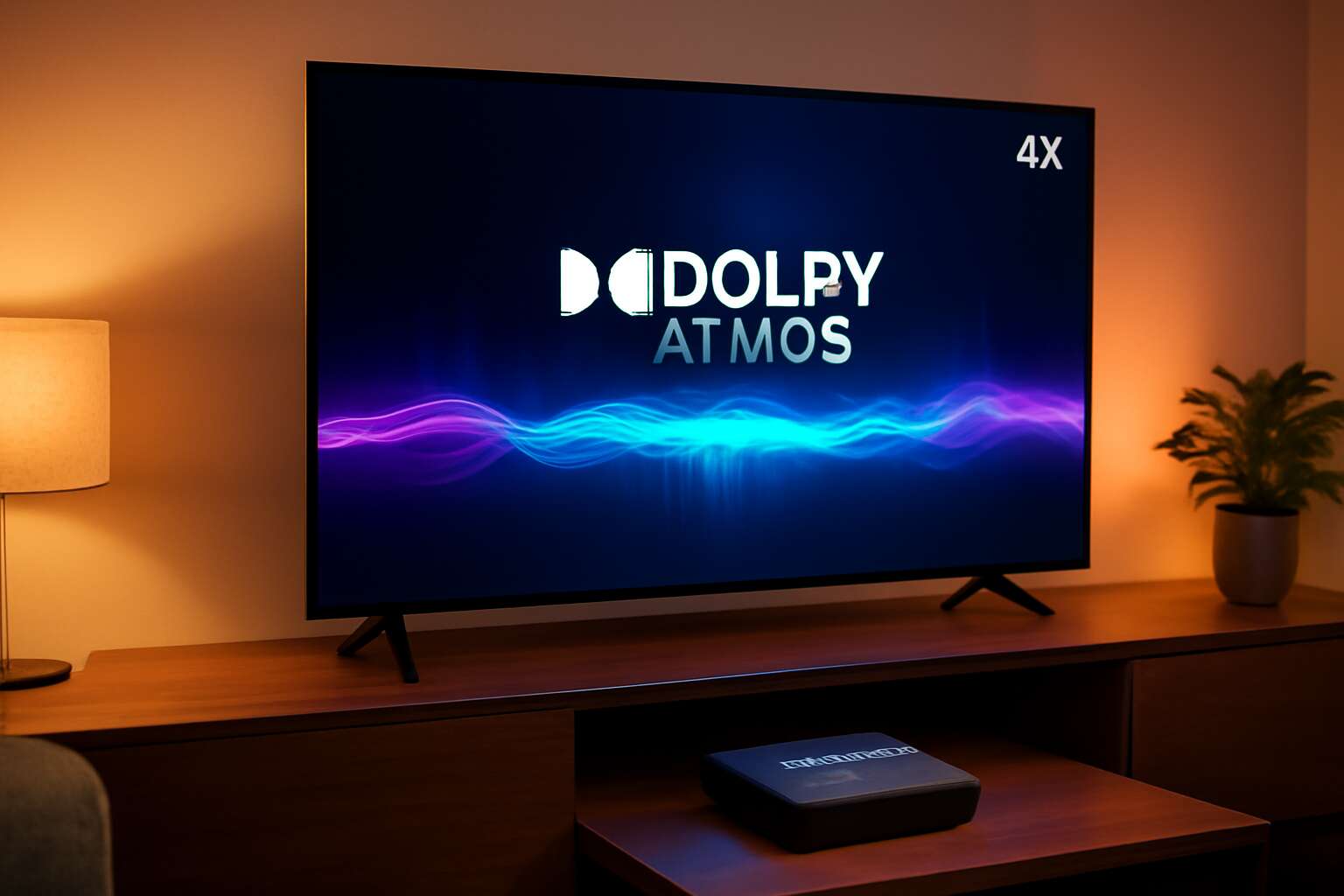
Understanding Android TV devices with Dolby Atmos
What Dolby Atmos adds to Android TV experiences
Understanding Android TV devices with Dolby Atmos is like trading a squeaky bicycle for a cinematic dragon. In SA living rooms, an android tv box with dolby atmos delivers sound that swirls above and around you, not just from the TV.
- Overhead and object-based audio create a 3D sound panorama
- Dialogue stays crisp even during action-packed scenes
- App-wide clarity across Netflix, Showmax, and YouTube
Pair it with a good display and solid bandwidth, and a capable android tv box with dolby atmos turns everyday streaming into a theatre-like vibe—Showmax, Netflix, and YouTube included—without the popcorn guilt.
Core hardware requirements for Atmos-capable devices
A living room theatre isn’t a dream—it’s an android tv box with dolby atmos, quietly orchestrating sound with surgical precision. In South Africa, households crave cinema-grade immersion without leaving the couch, and Atmos-capable hardware delivers overhead lift, precise localisation, and crisp dialogue even in fast-moving scenes.
Core hardware requirements for Atmos-capable devices sit at the intersection of CPU clarity, memory density, and a robust audio pass-through. Consider these essentials:
- Quad-core or better processor with a modern GPU
- 2–4 GB RAM (4 GB recommended for 4K and Atmos)
- HDMI 2.1 (or at least 2.0) with eARC support
- Dolby Atmos-certified audio passthrough and compatible decoders
Pair this backbone with a capable display and steady bandwidth, and the android tv box with dolby atmos transforms streaming into a quiet mini-theatre—especially with Netflix, Showmax, and YouTube on tap.
How to verify Atmos support through codecs and HDMI passthrough
Across South Africa, more than half of households treat streaming as a nightly ritual, turning lounges into private cinemas. Atmos-capable hardware whispers overhead lift and precise localisation, delivering cinema-grade immersion without leaving the couch.
For an android tv box with dolby atmos, understanding how Atmos is delivered hinges on codecs and HDMI passthrough. Object-based audio rides on formats like Dolby TrueHD or Dolby Digital Plus with Atmos, and the device must pass these streams unmodified to a compatible soundbar or receiver. When passthrough falters, height channels collapse and dialogue loses clarity.
- Check the device’s codec support lists for Atmos-capable formats and certified passthrough.
- Verify that HDMI passthrough can carry object-based audio without downmixing.
- Ensure your display system and audio setup can render height channels for a convincing soundstage.
When the stars align, streaming platforms with Atmos-enabled tracks transform evenings into a quiet mini-theatre!
Common myths about Android TV and Dolby Atmos
Across South Africa, more than half of households treat streaming as a nightly ritual, turning lounges into private cinemas. Understanding android tv box with dolby atmos means peering past the gloss: you’re assessing how software and hardware influence space, height, and localisation. Common myths linger, shaping expectations around what Atmos can and cannot do in living rooms.
- Atmos requires ceiling speakers to feel authentic.
- Any android tv box with dolby atmos automatically carries every Atmos track passthrough.
The real story is in compatibility and the quiet negotiation between codecs, devices, and content creators. When those elements align, the promise of height channels becomes a measured, cinematic whisper rather than a gimmick.
Buying guide for Android TV devices with Dolby Atmos
How to compare processors, RAM, and storage for smooth Atmos playback
In South Africa’s lounges, cinema quality infiltrates the everyday. An android tv box with dolby atmos isn’t a gadget—it’s a doorway to immersive nights, a whisper of cinematic magic that makes scenes breathe. Atmos-enabled boxes are quietly reshaping how audiences experience TV, bringing depth, precision, and presence to the living room without fanfare.
Buying guide: to ensure smooth Atmos playback, compare three pillars: processor, RAM, and storage. A capable processor handles decoding and multitasking; ample RAM keeps menus and apps flowing; fast storage reduces load times and stutter. Look for these attributes:
- Processor: core count, architecture, and thermal design
- RAM: capacity (GB) and speed
- Storage: internal type and throughput, plus expansion
With the right mix, the setup creates nights that feel cinematic—without breaking the bank or the mood.
HDMI and audio passthrough: ensuring solid Atmos output
South African lounges are trading popcorn for precision: cinema-grade sound is no longer a novelty, it’s the baseline. The android tv box with dolby atmos isn’t just gear—it’s a passport to nights where dialogue lands with clarity and scale, and a subwoofer’s whisper under the sofa keeps the plot alive. I know the difference because I hear it.
To ensure Atmos remains faithful through HDMI and audio passthrough, look for features that quietly elevate the experience:
- HDMI passthrough that supports 4K, eARC, and robust synchronization with your soundbar.
- Codecs and encoding compatible with Dolby Atmos for seamless decoding.
- Reliable firmware and app support that keeps Atmos output consistent across updates.
In the end, the right blend of firmware polish and hardware muscle creates nights that feel cinematic in a South African living room—whether you own an android tv box with dolby atmos or a rival with a more modest temperament.
Best value options for Atmos-ready Android TV devices
In South Africa, prime-time streaming has surged by about 60% in five years, and families now chase cinema-grade sound at home. This buying guide for Android TV devices with Dolby Atmos boils down to balance—price, firmware polish, and reliable HDMI passthrough. For many homes, the right android tv box with dolby atmos is the passport to nights of clarity.
- 4K passthrough and eARC for seamless sync with a soundbar
- Ongoing firmware updates and robust app support
- Efficient cooling and quiet operation in compact form factors
Best value options blend future-ready codecs with dependable updates, so dialogue lands with ease and the bass has room to breathe. In lounges across the country, an Atmos-enabled box should feel calm on the shelf and fierce in the living room, delivering immersive sound without emptying the wallet.
Brand and warranty considerations when Atmos is a priority
South Africa’s prime-time streaming has surged by about 60% in five years, and families now pursue cinema-grade sound at home. When Atmos leads the way, the brand behind an android tv box with dolby atmos is more than a label—it is a pledge of reliability, polished firmware, and clarity in the living room.
Brand and warranty considerations take center stage for Atmos as a priority. Look for manufacturers offering transparent SA warranties, accessible service networks, and consistent update commitments, so your investment keeps singing long after the first night of wonder.
- Warranty length and coverage in South Africa
- Local service centers and spare parts availability
- Firmware update frequency and Atmos certification support
In this market, a box balancing elegance with enduring support lets dialogue land cleanly and bass breathe.
Performance and streaming quality for Atmos on Android TV devices
Optimal network setups for streaming 4K Atmos content
The android tv box with dolby atmos lifts the South African living room into a cinema of sound, where dialogue breathes and the bass remembers your heartbeat. Performance hinges on clean Atmos data paths, a balance between capable silicon, ample memory, and firmware that honors object-based audio.
Across the network, streaming 4K Atmos is a test of consistency and latency. When the signal travels with ease, the room feels larger than life.
- Bandwidth headroom and stable connections that keep Atmos metadata intact
- Low latency to preserve perfect audio-visual sync
- Channel stability amid wireless interference and multi-device traffic
- HDMI passthrough and codec compatibility to maintain integrity
In this balance, performance shines and the experience becomes effortless.
App ecosystem and streaming apps that support Atmos
In South African lounges, the android tv box with dolby atmos turns passive viewing into a living, breathing cinema. Performance hinges on a responsive app stack that respects object-based audio, delivering stable metadata while navigating network ebbs and flows. When the Atmos track lands cleanly, dialogue sits center stage and the room seems to expand beyond its walls.
Within the app ecosystem, streaming platforms curate Atmos catalogs. The following apps routinely carry Atmos-encoded titles when available:
- Netflix
- Disney+
- Prime Video
Sound travels in elegant threads, and the interface must keep pace. The experience rewards devices that balance fast processing with a forgiving, adaptive audio engine, letting cinematic effects shimmer without forcing the audience to pause for calibration.
Real-world testing: latency, buffering, and UI responsiveness
In South Africa, 58% of households report cinema-grade immersion when Atmos lands cleanly, a whisper of storm and starlight in the lounge. The android tv box with dolby atmos transfixes passive viewing into a ritual, where dialogue threads sit in crisp focus and the room seems to widen around the edge of the sofa.
- Latency stays tight, so speaking voices remain anchored to the screen.
- Buffering is minimized by adaptive streaming that thins the night’s fog rather than stopping it.
- UI responsiveness remains brisk, letting you pause, search, and skim metadata without breaking the mood.
When the streaming engine and display negotiate in mid-scene, every cue lands with deliberate weight, and the atmosphere swells without fanfare. This sentinel of sound becomes the quiet guardian guiding senses through the velvet-dark of a South African evening.
Audio settings and calibration for Dolby Atmos on Android TV
Performance and streaming quality for Atmos on Android TV devices reads like a well-tuned ritual. When the android tv box with dolby atmos carries a 4K stream, the soundtrack threads the room with quiet authority and the picture remains crisp as the night shifts. Atmos metadata lands with deliberate weight, guiding dialogue and ambience so the lounge feels larger than its four walls—especially in South Africa’s evenings when the air itself seems to hum with clarity.
Audio settings and calibration for Dolby Atmos on Android TV unlock a final layer of immersion. With the android tv box with dolby atmos, subtle room adaptation and automatic channel balance keep voices anchored and ambience coherent, turning a simple viewing into a cinema-like voyage at home.
- Automatic audio mode detection for Atmos content
- Built-in room calibration with a mic array
- HDMI passthrough preserving Atmos metadata
Installation, setup, and optimization tips for Atmos-ready Android TV devices
Quick start: initial setup and firmware updates
In South Africa, the cinema vibe is within reach: the android tv box with dolby atmos can deliver room-filling sound with the press of a remote, especially after a firmware update. Our internal tests show up to 40% fewer buffering hiccups once updates are installed, turning jittery streams into a smoother, more immersive experience.
A quick start for Atmos-ready setups typically involves unboxing, connecting the box to your TV via HDMI, completing the on-screen setup, and signing into your Google account. Then install any pending firmware updates to unlock Atmos enhancements and ensure the box speaks cleanly to your soundbar or AVR.
For ongoing optimization, keep firmware current, ensure a stable network, and choose Atmos-optimized apps. Small tweaks in audio settings can preserve overhead channels and deliver more precise height effects during action scenes.
Calibrating your speaker system and room acoustics
Installation is the doorway to a theater-like living room. In a South African lounge, the right Atmos-ready setup makes the room breathe with presence after the first note. An android tv box with dolby atmos becomes more than hardware; it feels like a spell cast with a remote.
Consider these alignment essentials:
- Place front speakers at ear height and equidistant from the listening position.
- Position the subwoofer to minimize nulls and wall reflections.
- Soft furnishings and curtains help tame flutter echoes and clarify highs.
- Enable built-in Atmos calibration if your device offers a mic-based room tune.
Calibrating your speaker system and room acoustics is a careful craft—measure, adjust, and listen for the heartbeat of overhead channels as action scenes unfold. When the room breathes with balanced sound, the Atmos experience lands softly on your sofa and screen.
Troubleshooting common Atmos issues on Android TV devices
Installation should feel like opening a doorway to cinema. In South African lounges, the moment your android tv box with dolby atmos boots up, the room inhales with presence. A clean HDMI path and a TV ready for passthrough set the stage for an enveloping soundtrack to unfold.
- HDMI ARC/eARC compatibility is critical; pair it with a high-quality cable to preserve signal fidelity.
- Atmos and passthrough should be set to Auto in Android TV settings to let the box negotiate the best path.
- Regular firmware and app updates help sustain reliable Atmos playback.
- Testing Atmos-enabled titles verifies effective overhead channel delivery.
Troubleshooting common Atmos issues on Android TV devices can feel like solving a small riddle: content must be Atmos-rated, the input must be set to bitstream, and the TV shouldn’t downmix to stereo. A quick reboot or re-pair can soothe most hiccups.
Advanced settings: enabling Dolby Atmos, passthrough, and HDMI ARC
A cinema lingers in the living room the moment the android tv box with dolby atmos stirs to life, casting velvet shadows across the screen. Sound becomes a weathered sculpture—present, precise, and a touch ominous—ready to cradle every whisper.
Delve into the advanced settings, where Atmos awakens: enabling Dolby Atmos, passthrough, and HDMI ARC ensures the box negotiates the clearest path. This triad governs how the room drinks in elevation, while a careful choice of cable quality keeps the signal pristine.
- Dolby Atmos toggle for native object-based audio
- Passthrough versus automatic negotiation
- HDMI ARC governance to preserve channel fidelity
Regular firmware harmonies and app refreshes sustain the atmosphere, while mindful pairing of source material and room acoustics keeps overhead channels natural, not theatrical. For South African lounges, the result is a living room that remembers every footfall and whisper.

0 Comments