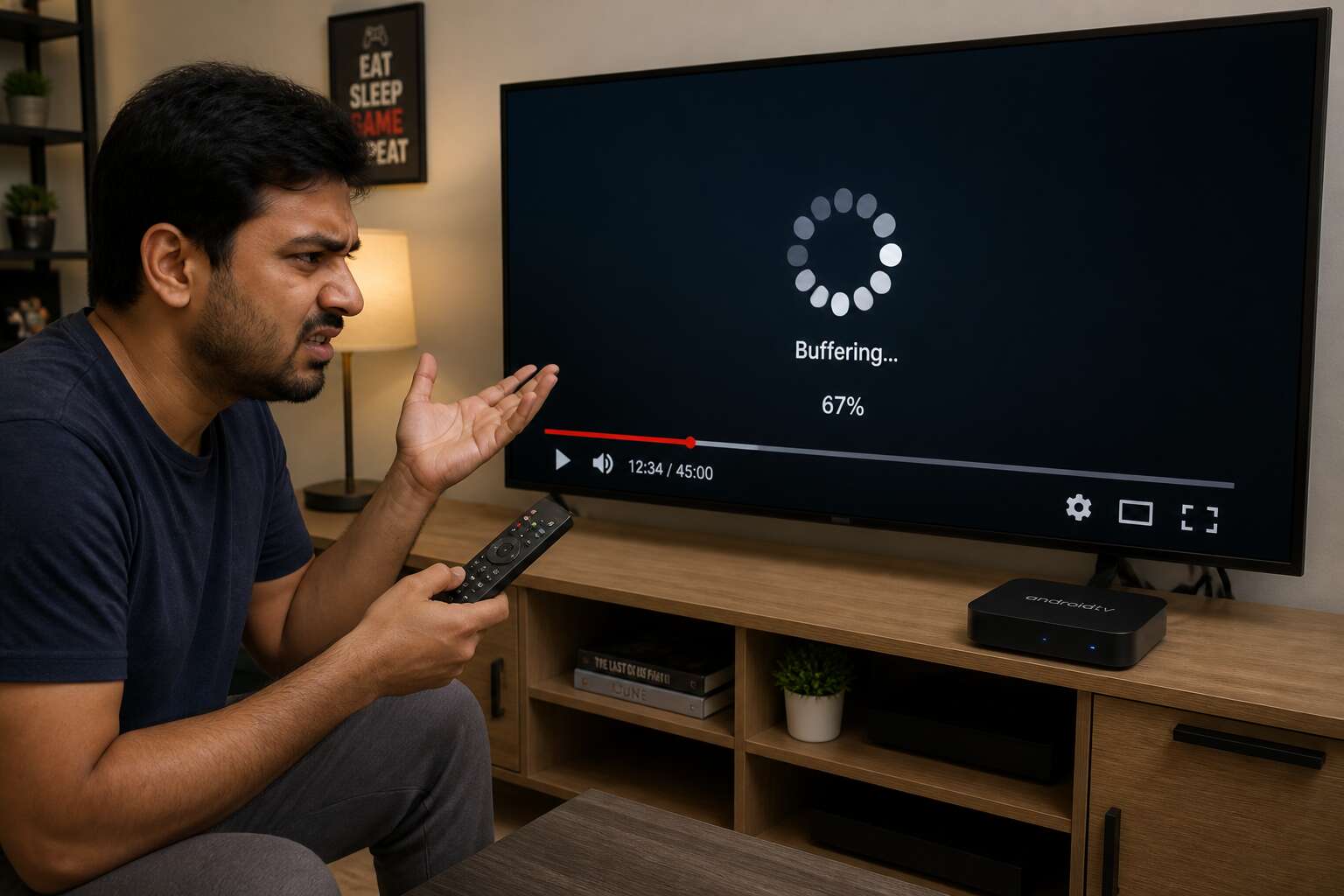
Understanding Android Box Buffering
What Buffering Means on Android Boxes
Buffering is the process your Android box uses to preload video data into a temporary reserve. The device downloads a segment, stores it in memory, and plays it while fetching the next. This reserve smooths over network hiccups. A healthy buffer means uninterrupted viewing.
The reserve runs dry when incoming data cannot keep pace with playback. That shortfall happens for many reasons, from a weak Wi-Fi signal to an overloaded internet service provider. Your box then pauses to refill, which you experience as spinning and stalling. This is precisely why android box keeps buffering during peak evening hours, when the whole neighbourhood streams at once.
Another culprit is the server delivering your content. If that server is congested or distant, data arrives slowly. Local cache on your device also matters. A full or fragmented cache slows down the reading and writing of stream data, leaving the buffer empty more often.
Common Symptoms and User Frustrations
Few things test a person’s patience like the spinning wheel of death on a Saturday night. You settle into the couch, snacks ready, and the show you have waited all week to watch suddenly freezes mid-sentence. The frustration is not about the pause itself. It is about the broken promise of seamless entertainment. Understanding why android box keeps buffering often starts with recognising these moments of emotional whiplash, where anticipation turns into irritation within seconds.
The symptoms are unmistakable and often follow a predictable pattern.
- Video quality drops to a pixelated blur before the screen freezes entirely.
- Audio continues for a second or two after the image stops, creating a jarring disconnect.
- The playback bar jumps backwards, losing your spot in the stream.
- The box becomes unresponsive to the remote, even after pressing pause or stop.
These interruptions force a repeated cycle of waiting and restarting. What was once a relaxing ritual becomes a technical chore. Users start checking their Wi-Fi signal, then their router, then the weather outside, searching for a culprit. This reactive troubleshooting is exhausting. It drains the joy from the experience and turns a living room into a frustration chamber. The question of why android box keeps buffering becomes a daily obsession for those who just want to press play and detach from the world for a few hours. The repeated interruptions fracture the narrative immersion, making it nearly impossible to stay invested in any plotline or documentary. Over time, this breeds a deep distrust of the device itself, which is unfortunate because the hardware is rarely the true villain in this story.
Why Streaming Performance Fluctuates
Streaming performance is not a fixed state. It is a negotiation that happens every few seconds between your Android box and the servers holding the content. When that negotiation fails, the buffer drains. Understanding why android box keeps buffering means accepting that this negotiation is fragile and subject to forces you cannot see.
Your network is a shared environment. Every device competes for the same limited pathway, a reality South African users know well when load-shedding or peak-hour traffic disrupts the line. The ISP’s routing changes with demand. The box’s own processes consume memory. The result is a constant fluctuation in data flow, which explains why a stream can run perfectly for ten minutes then collapse without warning.
The Role of Video Resolution and Bitrate
Every pixel demands a toll. A 4K stream asks for four times the data of standard definition, and that data arrives as discrete packets across your fibre line. When the bitrate exceeds what your connection can carry, the buffer drains and the picture freezes.
Bitrate measures data per second; resolution measures the frame. Together they set the terms of engagement. During peak hours in Johannesburg or Cape Town, the ISP throttles demand, the box negotiates, and the stream dims to a lower quality.
That negotiation has limits. You can ease the strain by adjusting how much data you demand:
- Force 1080p output instead of 4K when streams stall.
- Test the bitrate your actual line speed supports.
- Disable HDR if the content keeps pausing.
This is why android box keeps buffering when the selected resolution outweighs available bandwidth. The box cannot manufacture data that never arrives. Lowering the output restores the flow, but only if the bitrate matches the line.
Network and Internet Causes
Insufficient Bandwidth for Streaming Demands
A single 4K stream devours up to 25 Mbps, which is more than most South African entry-level fibre packages provide. That shortfall is exactly why android box keeps buffering when other devices share your connection. The bandwidth you pay for is rarely dedicated to your box alone.
Common network thieves include:
- Other streaming services running in another room
- Automatic updates for phones and consoles
- Cloud backups uploading during peak viewing hours
These drains pull from the same total bandwidth that feeds your Android box. Even an excellent Wi-Fi signal cannot fix a connection that lacks raw capacity. The real question is whether your network can deliver that capacity to the box at all.
Wi-Fi Signal Interference and Weak Coverage
Your Android box may sit three metres from the router, yet the signal still falters. In South African homes, thick brick walls and steel security doors block the 5 GHz band that streaming devices prefer. The box drops to the more congested 2.4 GHz frequency, and that is why android box keeps buffering even when your fibre line runs perfectly.
Interference compounds the problem. Every microwave oven, cordless phone, and neighbour’s router shares the same airspace, causing packet loss that forces your stream to pause and reload.
- A router placed inside a cupboard or behind a television
- Multiple Wi-Fi extenders creating conflicting networks
- Metal window frames reflecting the signal away from your device
Weak coverage also surfaces in multi-storey homes. The router may serve the lounge perfectly, but the bedroom where the Android box lives receives only a fraction of the signal. The box keeps trying, yet the connection simply cannot carry the stream.
Router Limitations and Outdated Firmware
Your router might be the limiting factor. Many South African ISPs supply entry level routers that struggle with simultaneous streaming, gaming, and video calls. When the device overheats or its processor maxes out, it prioritises basic traffic and throttles your Android box. That is why android box keeps buffering despite a healthy fibre line.
Outdated firmware creates another layer of failure. Manufacturers release patches to fix stability and speed, yet most users never update. A router running old software mishandles data packets and drops connections at random moments. Streaming services also tighten their requirements over time, so a router that worked last year now fails. This is another reason why android box keeps buffering on an otherwise fast connection.
- Router CPU limitations under load
- Insufficient memory for multiple connections
- Old firmware with known bugs
Network Congestion from Other Devices
Your fibre line might be pristine, but every device demands data at once. While you stream 4K, another person downloads a 60GB game update, and a third is on a video call. The router splits its attention, and your Android box gets little. This is network congestion, a leading reason why android box keeps buffering in busy South African homes.
Every device on your Wi-Fi or LAN competes for finite throughput. Smart TVs, laptops, phones, and smart fridges all require data. More devices mean more contention. When your router juggles dozens of connections, it drops packets or delays delivery. You see the spinner instead of the show.
- Streaming on other screens
- Game console patches
- Cloud backups and security camera uploads
- Smart home hubs sending small data packets
This congestion means the reason why android box keeps buffering often has nothing to do with your internet provider. It has everything to do with your household’s collective usage.
DNS Settings and IP Configuration Issues
Streaming requests begin with a DNS lookup. The Domain Name System translates a service name like Netflix or Showmax into a numerical IP address. When your Android box uses a slow or misconfigured DNS server, each lookup stalls. This is one reason why android box keeps buffering.
IP configuration issues also contribute. Your device needs a valid IP address, a proper subnet mask, and a functional gateway. If any value is wrong, data packets cannot reach the box. DHCP usually assigns these automatically, but conflicts occur when two devices share the same address.
- Manual DNS entries pointing to an unreliable server
- Expired DHCP leases that drop the connection
These errors produce intermittent streaming failures. The connection may be strong, yet the box still stutters. Certain DNS providers rate limit responses during peak evening hours, adding to the problem.
ISP Throttling and Data Caps
Many South African households discover their connection slows dramatically after crossing a data threshold. This quiet speed reduction, known as throttling, is a hidden reason why android box keeps buffering. The device is fine. The problem sits upstream at the internet service provider.
Fair usage policies let ISPs manage network demand. When your usage ranks high, your traffic gets deprioritised. Streaming video requires a steady flow of packets. Any artificial slowdown translates directly into stuttering playback.
Data caps complicate matters. Once your monthly allowance is gone, some providers enforce a hard speed limit until the next billing cycle. Others shape video traffic during peak evening hours.
The common signs include:
- Consistent slow speeds after a certain date each month
- Perfect buffering during off-peak hours, terrible in the evening
- Reduced video quality without any setting changes
These patterns point to provider-side controls. They explain why android box keeps buffering despite a healthy signal and an active subscription.
Hardware and Device Limitations
Low RAM and Processing Power
Somewhere between the router and the screen, the blame usually falls on the network. But the device itself can be the true culprit. I have seen budget Android boxes with 1GB of RAM choke on streams that should play effortlessly. The processor struggles to decode high-bitrate video, and the system stutters.
Consider what happens when the operating system and a streaming app compete for the same limited memory. The result is a bottleneck that manifests as constant pauses. If your box also runs background services, the situation worsens.
This hardware reality explains why android box keeps buffering even when your internet connection is flawless. The cheapest models often lack the processing power to sustain reliable streams.
Internal Storage and Cache Overload
An 8GB Android box often leaves you with less than 2GB of usable storage before you install a single app. Streaming services then fill that space with cached video segments, and the device spends more time moving data than decoding it. This constant read/write loop wears down the flash memory and slows the whole system.
Typical signs of storage overload include the following:
- Apps restart or crash after the cache fills up.
- The home screen takes seconds to respond.
- The player forces lower quality despite a stable connection.
This slow storage layer is part of why android box keeps buffering. The processor waits on the memory controller, not the network. South African users with budget hardware see this daily.
Outdated Network Adapter (Wi-Fi or Ethernet)
A 100Mb Ethernet port seems adequate until the moment the Android box tries to stream 4K while updating apps in the background. The controller cannot handle simultaneous tasks, so packets drop and the player stalls. Many budget boxes also ship with Wi-Fi adapters that lack support for modern 5GHz bands, leaving them stuck on crowded 2.4GHz frequencies.
The adapter’s age matters more than the raw speed of your fibre connection. An older chipset will negotiate lower data rates and suffer from latency spikes every few minutes. These symptoms appear as irregular buffering, even when your network tests clean.
- Connection drops after the box warms up.
- Streams start fine but degrade after ten minutes.
- The box fails to see your router’s 5GHz network.
This hardware limitation is a hidden variable that directly feeds into why android box keeps buffering, separate from bandwidth or cache issues. The device simply cannot maintain a stable data path, no matter how strong the incoming signal is.
Overheating and Thermal Throttling
Inside the cramped housing of a budget Android box, heat builds up quickly. The processor, often passively cooled, reaches its thermal ceiling within half an hour of streaming. When that happens, the CPU reduces its clock speed to prevent permanent damage. I have examined units where the thermal paste had dried out completely after just one year. This throttling response directly answers why android box keeps buffering during extended viewing sessions. The device struggles to decode video frames and manage network traffic at reduced speeds, so playback stutters.
Dust accumulation in ventilation slots compounds the issue. Repair shops across South Africa report similar findings. Signs of overheating include:
- The casing becomes hot to the touch.
- Fan noise increases, if a fan exists at all.
- Suddenly, the box restarts mid-stream.
These indicators point to a hardware limitation that no amount of router tweaking can fix. Thermal behaviour rarely appears in product listings, yet it holds the key to persistent playback interruptions.
HDMI Cable and Port Connectivity Problems
Beyond obvious processing constraints, the physical components themselves frequently sabotage streaming. Many budget boxes rely on low end system on chip designs with weak video decoders. These chips cannot handle high bitrate streams without dropping frames, and this recurring failure explains why android box keeps buffering even when your internet connection is flawless.
HDMI connectivity introduces its own set of faults. A damaged cable, often bent sharply behind the television, causes intermittent signal loss. The port may suffer from poor soldering, loosening after months of use. This triggers repeated handshake negotiations between box and screen, halting playback temporarily.
- Check if the HDMI cable length exceeds five meters
- Verify the port supports HDMI 2.0 or higher
- Swap cables before replacing the box
These hardware faults mimic network issues, and they are another reason why android box keeps buffering when the user expects a smooth stream.
Power Supply Inadequacy and Voltage Drops
Hardware limitations extend beyond processor speed into power delivery. A wall charger rated below what the unit draws cannot sustain voltage when the processor ramps up. During high bitrate playback, demand spikes, and the internal rail collapses. The SoC responds by throttling clocks, and playback stutters. That is one reason why android box keeps buffering.
South African households face an extra hurdle. Fluctuating mains voltage, especially during loadshedding transitions, momentarily starves the device. Cheap power bricks without proper regulation turn those dips into skipped frames. I have seen television USB ports starve a box entirely! Meanwhile, the phrase why android box keeps buffering dominates search queries, because few people blame the brick.
- periodic device reboots mid-stream
- random disconnects on Ethernet and Wi-Fi alike
- audio crackling that aligns with the buffering wheel
The box itself may be healthy. The hardware is just not being fed enough electricity.
Software and App Issues
Outdated Android OS and Firmware
An Android box is only as reliable as the software steering it. When the operating system ages past its support window, streaming apps begin to struggle against obsolete codecs and broken compatibility layers. The hardware may still be capable, but the outdated firmware creates bottlenecks that surface as constant stuttering.
Consider the specific problems that accumulate inside the device:
- Old Android OS versions lack modern video decoding libraries used by current streaming services
- Aged firmware fails to manage memory efficiently during high bitrate playback
- App updates gradually require newer system components than the box actually provides
Each software layer compounds the others. Google Play Services alone can consume excessive resources when running on an unsupported system build. This directly explains why android box keeps buffering even when the network performs perfectly. The device executes outdated instructions while modern streaming services demand newer ones.
App-Specific Bugs and Inefficient Codecs
Some streaming applications arrive with bugs that only surface under sustained playback. A poorly optimised media player may leak memory until the system starves, and then the dreaded spinner appears. This is a common reason why android box keeps buffering. Inefficient codecs worsen matters. Apps that transcode video in software instead of using hardware acceleration force the processor to labour far beyond its intended workload. The result is a stutter that has nothing to do with your internet connection.
App-specific bugs often target certain device configurations. For example:
- Background services that reinitialise the decoder every few minutes
- Player interfaces that fail to release audio/video buffers
- Subtitle rendering routines that consume excessive CPU cycles
Each flaw injects delays into the playback pipeline, turning smooth streams into jarring interruptions.
Background Apps Draining Resources
In my experience, the most overlooked cause of streaming failure is the silent army of background apps draining resources. While you watch a show, your Android box is also refreshing widgets, syncing cloud drives, and polling weather services. Each process steals RAM and CPU cycles from the video decoder. That is why android box keeps buffering even when your fibre speed looks perfect. The device is simply trying to do too many things at once.
Typical culprits include:
- Pre-installed bloatware that auto-starts on boot
- Messaging and social apps refreshing notifications
- Media servers scanning local storage for new files
These tasks rarely show up on a user’s radar. Yet they pile up, leaving the main video app gasping for resources. The spinner appears randomly, and users blame the network, but the real problem is a congested system. A cleaner background environment makes a measurable difference to playback stability.
Corrupted Cache and Residual Data
Software and app issues often hide beneath the surface. Corrupted cache and residual data build up on the storage drive. These are not background apps. They are leftovers from updates, interrupted downloads, and uninstalled programs. Each one waits to interfere with the media player.
When an app tries to read this damaged cache, it struggles. Video frames lag, the spinner appears, and you wonder why android box keeps buffering. The problem is not the network path but the software’s own cluttered memory.
- Partial download fragments
- Old update packages
- Orphaned database entries
These residual files create conflicts. A clean slate is rare after months of usage. The Android system fails to purge them automatically, so they accumulate and disrupt playback. That’s frustrating!
Overloaded Launchers and Custom ROMs
Overloaded launchers sit quietly in the background. Every Android box ships with a launcher that handles the home screen and app drawer. Heavy third-party launchers redraw their interfaces constantly, consuming RAM and CPU cycles. The media player then receives fewer resources, and the video stream stutters. This is one reason why android box keeps buffering even when the network path is clean.
Custom ROMs complicate matters further. These modified operating systems often carry outdated drivers or incomplete optimisations. A build that runs flawlessly on one device model can leak memory on another. Typical software delays come from:
- Kernel settings that mishandle video buffers
- Background services that restart without limits
- Missing hardware acceleration for common codecs
Installing a custom ROM without proper testing means inheriting those flaws. The playback app fights for system time, video data arrives faster than it can be decoded, and the buffer empties quickly. Before long, you are back to asking why android box keeps buffering, with no obvious cause on screen!
VPN and Proxy Interference
VPNs and proxy services sit between your Android box and the streaming server. Every packet gets encrypted, routed, and verified before reaching your screen. That overhead consumes bandwidth and adds latency. On a fibre connection with headroom, the loss may go unnoticed. On a slower ADSL line, it becomes the exact reason why android box keeps buffering.
Some streaming apps force traffic through a VPN even when you think it is off. Proxy settings can linger in the system after you uninstall the tool. These hidden routes send video data through distant servers at peak hours.
- A VPN server on another continent adds significant delay.
- Free proxy apps reroute traffic without clear consent.
- Split tunnelling sometimes excludes streaming apps by mistake.
None of this appears in a standard speed test.
Streaming Source and Server Factors
Overloaded Streaming Servers
The stream you watch travels from a server that may be serving thousands of viewers at the same moment. That server has finite bandwidth. Peak evening hours create contention, and when demand exceeds capacity, data arrives slowly. In my experience, this is exactly why android box keeps buffering when your local network tests well.
Some servers rely on weak content delivery networks with poor peering between providers, adding latency you cannot fix from home. Free streaming apps habitually operate on oversold infrastructure, allocating more capacity than the hardware can physically deliver. Your Android box simply relays the failure.
Content Delivery Network (CDN) Routing
Content delivery network routing decides which server hands you the stream. A CDN should redirect you to the nearest, fastest node. In South Africa, many streaming services rely on European or US hubs. That distance alone slows every packet. If the CDN’s edge node is congested or misconfigured, you watch the same spinning circle. This is exactly why android box keeps buffering while your fibre line runs at full speed.
Consider how routing decisions play out:
- Geo-routing might ignore your actual latency.
- Peering agreements between the CDN and your local ISP can create bottlenecks.
- Some CDNs prioritise cost over performance, sending you to cheaper, slower routes.
The stream source itself matters too. A re-encoded or poorly packaged stream forces the CDN to transcode on the fly, adding delays. When the source server pushes data faster than the CDN can absorb, buffering follows without any fault on your side.
Legal vs. Unverified Streaming Sources
Streaming source quality matters as much as your connection. In my experience, legal platforms maintain dedicated server fleets with consistent encoding and adaptive bitrate ladders. Unverified sources often pull streams from random mirrors, personal servers, or re-uploaded content that was never optimised for playback. That instability is a core reason why android box keeps buffering even on a flawless fibre line.
Pirate add-ons typically rely on free file hosts that throttle heavy traffic. They also change server URLs without notice, causing your player to reconnect repeatedly. The result is a cycle of loading, stalling, and more loading.
- Legal services pay for bandwidth and server redundancy
- Unverified sources may serve compressed or corrupted files
- Free streams often lack regional CDN nodes
When a stream originates from a server with limited upload capacity, no amount of local tweaking fixes the bottleneck. The source itself dictates the ceiling for playback reliability.
Video Compression and Transcoding Quality
Consider the video file itself. A stream that looks crisp may arrive as a compressed artefact of its original master. Servers run real-time transcoding to squeeze footage into smaller containers. When that transcode is shoddy, the player receives inconsistent keyframes and bitrate spikes. The decoder stutters, and you blame your box. That is why android box keeps buffering despite a fast line.
Server location matters too! A popular mirror in Europe might serve your Cape Town router poorly. The latency accumulates. Add a second transcode on the fly, and the delays multiply.
- Poorly compressed files force extra decoding work
- On-the-fly transcoding creates sudden bitrate jumps
- Distant servers add latency that manifests as stalls
The result is a playback experience that feels cursed. Yet the fault lies upstream, in the pipeline between the original file and your screen. Understanding why android box keeps buffering requires looking past your local setup.
Geographic Restrictions and Latency
Streaming source selection is often an afterthought. Your android box is only as good as the server it talks to. When a service uses geo-blocked mirrors, your request bounces across continents. That detour adds milliseconds that accumulate into visible stalls. This is a primary reason why android box keeps buffering even when your fibre connection is flawless.
Latency is not bandwidth. A 100 Mbps line cannot fix a 300 ms round trip. Each packet must travel, and every hop introduces a small delay. Popular sources are physically distant from South African users, and their CDN nodes are sparse.
- Geo-restrictions force rerouting through proxies
- Latency spikes occur under peak server demand
- Distance increases packet loss and retransmission
Understanding this issue means acknowledging the server side is often the silent culprit. Your hardware is fine. Your network is fine. The source is the bottleneck!
Fixes and Optimization Tips
Switching to Ethernet and Improving Router Placement
Switching the Android box to a hardwired Ethernet connection removes the most common source of instability. A cable delivers data without the interference of walls, appliances, or neighboring Wi-Fi networks. This single change often eliminates buffering even when the broadband speed remains unchanged.
For homes where cabling is impractical, router placement becomes the deciding factor. A router buried behind a television or stored inside a cupboard loses signal strength quickly. Raising it to a central position and keeping it away from thick masonry improves coverage significantly.
- A 5 GHz band carries more data for short distances.
- Microwaves and cordless phones cause hidden interference on 2.4 GHz.
- Regular router restarts clear memory issues that slow throughput.
Troubleshooting starts with the physical connection, not the app or the codec. Once the cable is in place and the router sits in the open, the remaining causes become easier to isolate. That is the real answer to why android box keeps buffering after software fixes have failed.
Clearing Cache and Closing Background Apps
Why android box keeps buffering often comes down to background activity. A cache full of old video data slows playback. Background apps consume RAM and processing power silently.
Clear the cache regularly. Go to settings and open app storage. Each streaming app stores temporary files that build up. Delete them, then check playback. Closing background apps matters too. Many apps restart after you press back or home. Use the task manager to force stop them.
Some users also find that disabling auto-start apps helps. Here are common ones to watch:
- Social media apps that sync constantly.
- Messaging services with push notifications.
- Weather widgets that refresh in the background.
Each of these drains resources. When you manage them properly, the problem often disappears.
Updating Android OS, Apps, and Codecs
Updating the Android OS is a direct remedy for many playback faults. Each firmware revision contains patches for memory management and video decoding. Without those patches, the system struggles to handle modern streaming formats. This is one reason why android box keeps buffering even when your network seems fine.
Apps need the same attention. Developers regularly release updates that fix codec errors and reduce data waste. If you ignore them, you are effectively streaming with broken tools. Check for updates weekly.
- Enable automatic updates for streaming apps.
- Install codec packs from reputable sources.
- Reboot after major OS updates to clear stale processes.
Codecs are the invisible bridge between a video file and your screen. When they are outdated, buffering becomes a constant interruption. A small update can change the entire playback experience.
Adjusting Streaming Quality and Buffer Settings
When you ask why android box keeps buffering, streaming quality settings are the first place to look. Many boxes default to auto resolution, which forces the device to negotiate a high bitrate stream even on a modest connection. Manually selecting 720p or 1080p can ease the load considerably. Buffer settings matter too. Some apps let you increase the playback buffer, giving the device a larger cushion when the network dips. A larger buffer uses more RAM, so balance it with your box’s capacity.
For most setups, choosing a resolution one step below the display’s maximum works well. Then check the app’s advanced playback options for a buffer size setting. Testing a few combinations until the stream stays stable is worthwhile. This direct control often solves the problem without touching hardware, and it answers why android box keeps buffering in many cases.
Using a Quality VPN for Stable Connections
A quality VPN serves two purposes. It protects your privacy and stabilises your stream when your internet provider throttles video traffic. In South Africa, this shaping often leads to constant pauses during evening hours. A good VPN hides the type of traffic, so the throttling rules stop applying to your connection.
Look for a provider with local servers and modern protocols like WireGuard. In my experience, a server in your city makes a noticeable difference. Test each one before you settle.
- Pick a server in Johannesburg or Cape Town to keep latency low.
- Confirm the service allows unlimited bandwidth.
- Avoid free VPNs that cap speeds at unusable levels.
Sometimes the fastest path to a streaming service is not the path your ISP chooses. A quality VPN can reroute your connection along a cleaner route, removing one more reason why android box keeps buffering without any new hardware.
Upgrading Hardware and Using Maintenance Tools
Sometimes the software side is not the culprit. When my own box stalled on every 4K stream, the problem was the power adapter! A weak adapter starves the processor during intense decoding. The same applies to thermal paste and cooling fans. Dust builds up, heat rises, and the chip slows down to protect itself. That slowdown reads as buffering.
Maintenance tools can help you spot these issues before they ruin your viewing.
- CPU monitor apps show thermal throttling in real time
- Storage cleaners remove leftover files from uninstalled apps
- System info tools reveal RAM usage and firmware versions
Replacing a cheap HDMI cable or installing a better network adapter often explains why android box keeps buffering despite a solid internet plan. The hardware sets the limit. Software optimisations can only push so far.

0 Comments